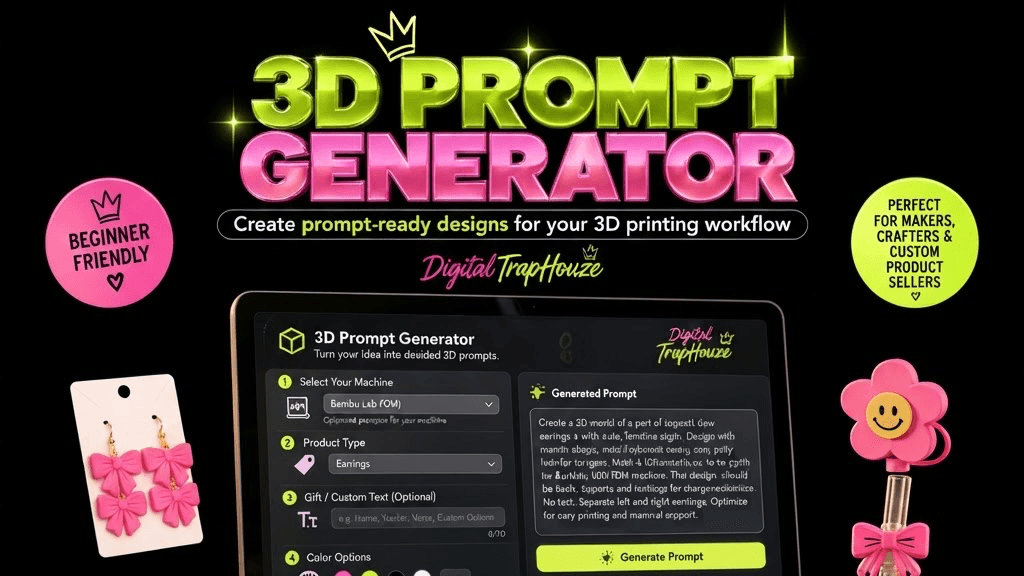
3D Prompt Generator
$24.99
You didn't buy a 3D printer to stare at it. You bought it to make things: earrings, badge reels, keychains, straw toppers, ornaments, personalized signs, and products your customers actually want.
The Digital TrapHouze 3D Prompt Generator gets you there. Choose your machine, choose your product, add personalization, colors, or a PNG reference, and the generator builds a detailed AI prompt you can paste straight into ChatGPT or any AI image tool.
Your workflow: Idea → 3D Prompt Generator → ChatGPT / AI image creation → PNG → Silhouette Studio Business Edition → SVG → Tinkercad → STL → Bambu Studio → Print
The generator helps you create and organize your prompt and design concept. It does not automatically create a finished STL file by itself. You bring the prompt to your AI tool and continue through your own PNG → SVG → STL → print workflow. That's the system working exactly as designed.
For beginners, Bambu Lab users, Etsy sellers, craft vendors, and makers building a custom product business, this is the idea machine that removes the blank page for good.
WHAT YOU GET:
Beginner-friendly 3D prompt generator
Machine-specific prompt guidance, including Bambu Lab
Product selections: earrings, badge reel toppers, keychains, straw toppers, ornaments, personalized signs, and more
Personalization and custom text options
Color options
Optional PNG reference upload
Detailed AI-ready prompt output, ready to copy and paste
Product brainstorming for personal use or products you sell
HOW IT WORKS: STEP 1. Choose your machine STEP 2. Choose what you want to make STEP 3. Add personalization, colors, or a PNG reference STEP 4. Generate your detailed prompt STEP 5. Use the prompt to create your design STEP 6. Continue through your preferred PNG → SVG → STL → print workflow
WHO THIS IS FOR:
Beginner 3D printer owners
Bambu Lab users
Makers and crafters
Custom product sellers and Etsy sellers
Pop-up and craft vendors
Badge reel makers and jewelry makers
Party favor vendors
Anyone moving from Cricut or Silhouette into 3D printing
FAQ: Q: Is this beginner friendly? A: Yes. Every choice is laid out step by step. No design or engineering experience needed.
Q: Do I need Blender? A: No. The workflow uses tools beginners can learn fast: ChatGPT or an AI image tool, Silhouette Studio Business Edition, and Tinkercad.
Q: Does it automatically create an STL? A: No. It creates and organizes your prompt and design concept. You use the prompt with your AI tool, then continue through your PNG → SVG → STL → print workflow.
Q: Can I upload a PNG? A: Yes. Optionally upload a PNG reference to guide your design direction.
Q: Can I use it for products I sell? A: Yes. Brainstorm and build designs for personal use or for products you sell.
Q: Does it only work with Bambu Lab printers? A: No. It includes Bambu Lab guidance but works with any 3D printing workflow.
Q: Do I need Silhouette Studio or Tinkercad? A: The recommended workflow uses them, but the generator works with whatever workflow you prefer.

Disclaimer: Results vary. The 3D Prompt Generator helps you create and organize your prompt and design concept. It does not automatically create finished, print-ready STL files. Final results depend on your software, printer, slicer settings, materials, modeling process, and workflow. Digital TrapHouze makes no guarantee that every design will be print-ready without additional work.