divine design
$150
Lessons from 1,000 graphics created, 100k followers gained, & 50 million views... all from carousels.
What's inside:
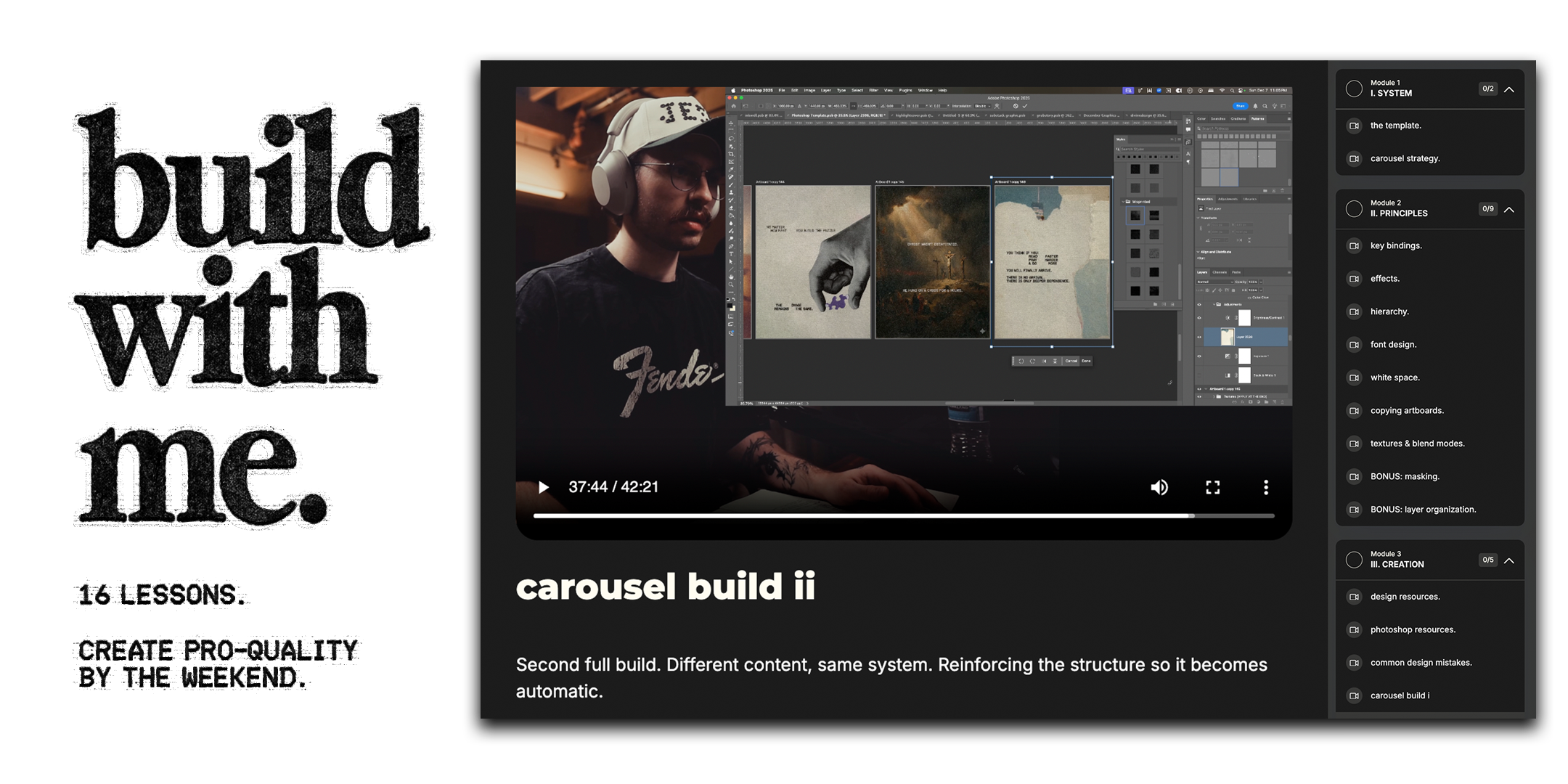
3 sections. 16 lessons.
Carousels that actually look premium.
I. System. - the template structure, how carousels work, carousel strategy.
II. Principles - hierarchy, grids, texture, typography, design resources.
III. Creation. - full carousel build walkthroughs, common mistakes
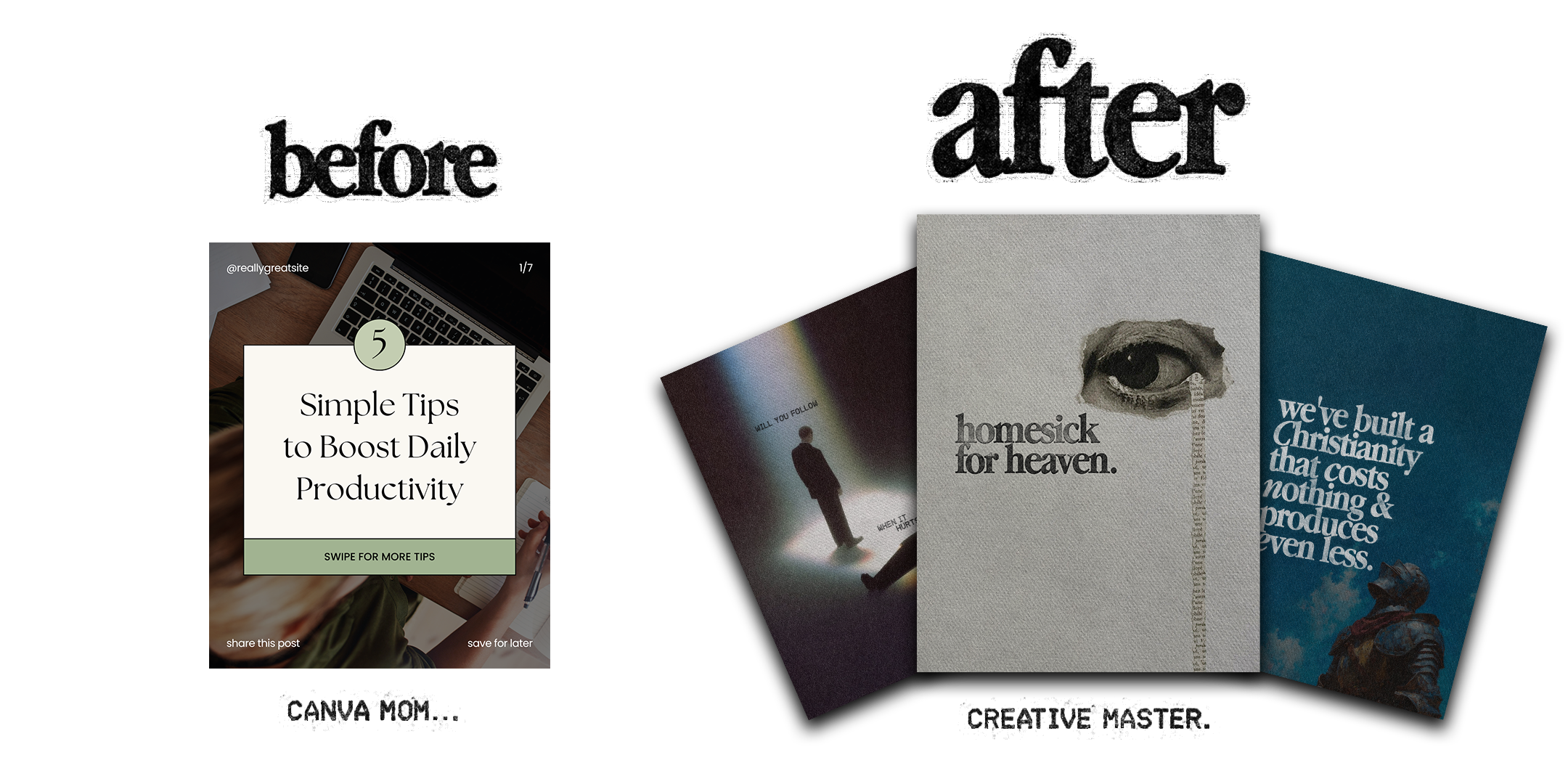
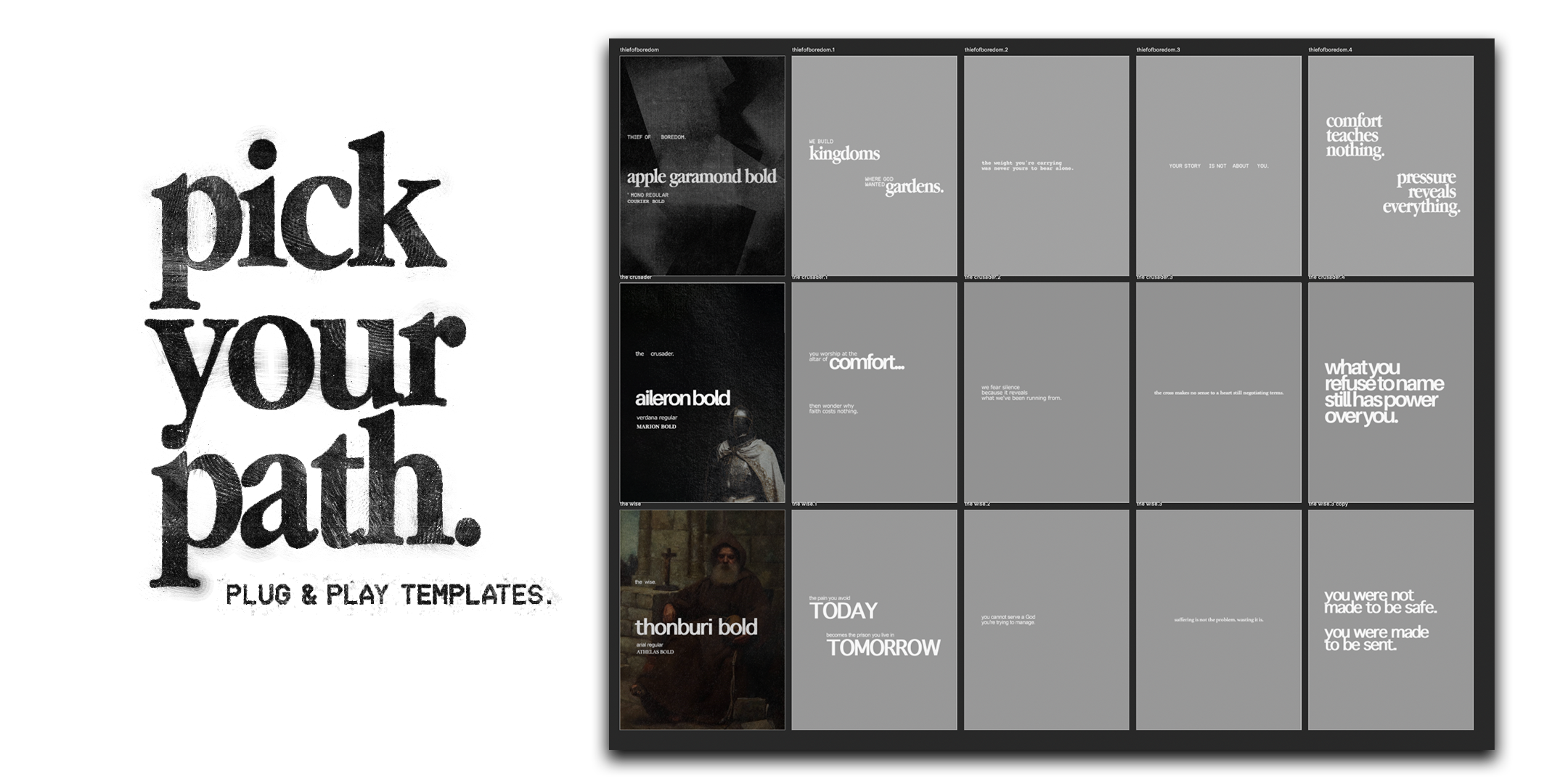
You get the Photoshop files.
(Yes, you will need Photoshop.)
My exact branding templates.
The structure I use.
Font guides.
Textures. (you love these.)
You have good ideas.
Your content just doesn't look like it.
You're using basic Canva templates.
Your carousels look like everyone else's.
You know it. Your audience can tell.
You want consistent branding but don't know where to start. Every post looks different because you're redesigning from scratch each time.
You're stuck choosing between "looks professional" and "actually gets done."
It shouldn't take three hours to make one carousel.
This fixes all of that.
What you'll actually get:
Professional-grade design. Carousels that look like you hired someone. Texture, intentional typography, visual weight. The kind of work that makes people stop and ask "who made this?"
Consistent branding. A system so tight that every carousel you make looks like it came from the same hand. Font pairings locked in. Tangible textures. No more redesigning your brand every week.
Speed. Once you know the structure, you can batch 5-10 carousels in an afternoon. The Photoshop template is built for repetition. Swap images, change text, export. 40 minutes per carousel, max.
What you need:
Photoshop. That's it.
Everything uses Adobe Fonts or free fonts.
Who this is for:
Christian creators tired of their content looking cheap.
Entrepreneurs who know their brand should look more premium than it does.
Anyone who's realized their ideas deserve better than stock templates.
You don't need design experience. You just need to be tired of looking average.
What you'll be able to do:
People will stop scrolling. Your carousels won't look like everyone else's anymore. The aesthetic weight, the grain, the typography: it signals "this person knows what they're doing" before anyone reads a word.
Your brand will feel coherent. Right now, every post looks different because you're starting from scratch each time. People will recognize your work instantly. Same visual language. Same intentionality. Every carousel reinforces the last.
You'll stop wasting time. No more spending three hours designing one carousel. No more second-guessing every font choice. The system is built. You'll know exactly what to do. Thirty minutes, start to finish.
Why I made this:
People keep asking how I make these. I got tired of explaining it in DMs.
This is my exact process.
The same templates.
The same textures.
The same fonts.
No gatekeeping.
You get the tools. What you do with them is your business.
The real hesitation:
You're thinking: "I'm not a designer. This probably won't work for me."
Fair. But you don't need to be a designer. You need to follow a system.
This isn't about artistic talent. It's about structure. Hierarchy. Repetition. Restraint. Those are learnable.
Or: "I don't have time to learn Photoshop."
You don't need to master Photoshop.
You need to know how to use this template.
I walk you through every layer, every tool, every click.
If you can follow along, you can build.
Or: "What if I buy this and still can't make good carousels?"
Then you didn't do the work.
The templates are built.
The walkthroughs are recorded.
The principles are clear.
If you actually go through the lessons and build the carousels, you'll get results.
If you buy it and never open Photoshop, that's on you.