Wix is useful when you need one platform that can do a bit of everything. The catch is, eventually, most businesses stop needing a bit of everything.
You may find that a traditional website is no longer where people discover you, or that one part of the business now matters far more than the rest. At that point, a more focused platform can make more sense than continuing to build around Wix.
What Is Wix?
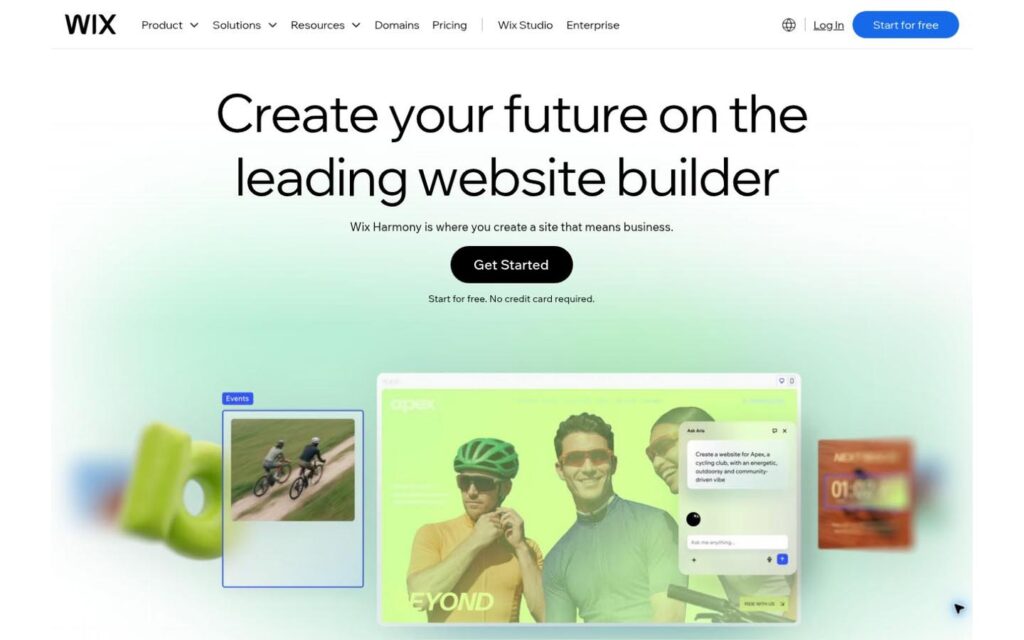
First and foremost, Wix is a website and business platform. It is still best known for letting people build a site visually, without needing to code, but the product has grown far beyond that.
Wix now supports:
- Online stores
- Blogs
- Appointment booking
- Memberships
- Online programs
- Events
- Customer management
There is also Wix Studio, which is aimed at professional designers and developers who need more control than the standard editor provides.
So while “website builder” is technically accurate, it undersells what Wix has become. It is really a broad set of tools built around the website as the center of the business.
Why People Choose Wix
Wix isn’t defined by a single standout feature. Most of what it offers, you’ll find on other platforms too. What sets Wix apart is how much ground it covers.
You can start with a straightforward business website and make it considerably more sophisticated without immediately moving to a custom build. That makes Wix useful for businesses that expect the website itself to take on more responsibility over time.
There is also a fairly wide technical range. Someone with no development experience can work from templates, while a more technical team can move into Wix Studio for greater control.
The newer AI tools add to that. Wix is moving toward a more conversational way of building websites. Instead of manually changing every element, you can describe what you want and let the AI handle much of the implementation. It is a useful addition, but it is not the main reason to choose the platform.

The stronger case for Wix is that it can support a substantial web presence without requiring you to piece together a completely different stack as the site becomes more ambitious.
When It Might Be Time to Look Elsewhere
Wix can be a strong fit for a broad range of businesses, but there are points where a more specialized platform may make more sense.
For some Creators, that happens when most discovery starts taking place on social platforms. By the time someone reaches the site, they may already understand the offer and simply want an easy way to take the next step.
For other businesses, the shift comes when one part of the operation becomes important enough to need deeper tools than a general website platform provides.
That is where the alternatives below begin to make sense. Each one solves a different problem, depending on what you now need the platform to do.
5 Wix Alternatives for Creators
Stan
Stan vs. Wix
Stan gives Creators a simple place to sell from an audience they already have. Wix gives you more room to build a full website around the business.
Pricing shown in USD and checked October 2026. Wix paid prices are monthly equivalents with annual billing. Standard payment processing fees may also apply.
Stan makes the most sense when your audience already knows who you are.
Instead of asking you to build another traditional website, Stan gives people a direct place to see what you sell after they click from your content.
That shorter path works especially well for social-first Creators. The storefront is there to help someone move from interest to purchase without requiring them to navigate a larger site first.
You can use it to sell:
- Coaching
- Courses
- Digital products
- Memberships
- Community access

That flexibility matters because Creator businesses rarely stay exactly the same.
You might start with one-on-one work because it is the fastest way to monetize what you know. Later, something more scalable may make sense. The storefront can adapt to the business without forcing you to rebuild the entire customer experience around a new type of offer.
Stan is not trying to compete with Wix on depth. If you want a large publishing site, extensive page customization, or a website built around organic search, Wix is the stronger tool.
But if your audience is already doing the discovery elsewhere, that extra website can start to feel unnecessary.
Squarespace
Squarespace vs. Wix
Both are full website builders, but Squarespace offers a more guided design experience while Wix gives you more room to customize and expand.
Pricing shown in USD and checked October 2026. Prices are monthly equivalents with annual billing. Payment processing fees may also apply.
Squarespace suits businesses that like the flexibility of a website builder but would rather make fewer design decisions along the way.
Its templates and layout system give you more structure than Wix, which can make it easier to get to a polished result without adjusting every part of the page yourself. You can also sell through the site, so it works well beyond portfolios and simple brand pages.
The main thing to keep in mind is that Squarespace does not really change the role of the website. You are still managing a full site, just in a different environment. If that is what you want, it is a strong option. If you are trying to simplify beyond the traditional website model, it probably will not solve that problem.
Shopify
Shopify vs. Wix
Wix gives you more freedom to build around the website. Shopify goes much deeper once selling products becomes the main event.
Pricing shown in USD and checked October 2026. Prices are monthly equivalents with annual billing. Payment processing and third-party payment provider fees may also apply.
Shopify makes the most sense once your store is the main focus of your business. It gives you much more depth around inventory, fulfillment, and day-to-day ecommerce than Wix, which is useful once you are managing a real product operation rather than treating merch as an add-on.
But that same focus can make Shopify less practical if your main revenue comes from coaching, courses, or other expertise-driven offers. In that case, you’re likely paying for features you won’t use.
Kajabi
Kajabi vs. Wix
Wix is a flexible website builder. Kajabi is built more specifically for people selling courses, coaching, and other paid content online.
Pricing shown in USD and checked October 2026. Prices are monthly equivalents with annual billing. Standard payment processing fees may apply.

Kajabi starts to make more sense when you need more than a website to sell your expertise.
It gives you more built-in support for selling those offers than Wix, especially once email marketing and funnels start to matter more. That makes it a good fit for established Creators who want the sales side of the business closer to the products themselves.
The tradeoff is cost. If you are not going to use those extra marketing tools, Kajabi can be difficult to justify for a relatively simple setup.
Podia
Podia vs. Wix
Podia is built around selling your knowledge online. Wix gives you more freedom to build a broader, more customized website.
Pricing shown in USD and checked October 2026. Podia annual prices are shown as monthly equivalents. Wix paid prices are shown with annual billing. Standard payment processing fees may also apply.
Podia is a good fit for Creators who still want a full website but want selling digital offers to feel built-in rather than added on later.
You can use it to publish content and run a traditional site, while also selling the kinds of offers Creators commonly build around their expertise.
Podia is simpler than Kajabi on the marketing side and less direct than Stan for a social-first audience. That balance will suit Creators who want a traditional site without quite as much setup around the products they sell.
Build Around How People Find You
If you are choosing a platform for the first time, it is easy to assume you need a full website because that is what businesses have traditionally built. But the better starting point is how people are likely to find you and what you need them to do once they arrive.
If you are already using Wix, the question is slightly different. Look at which parts of the site genuinely help the business and which you are maintaining simply because they are there. You may need more specialized tools, a simpler setup, or a different kind of site altogether.
For Creators building an audience through social content, Stan offers that simpler route. Your content can handle discovery, while your storefront gives people a focused place to explore your offers and buy.
Try Stan free for 14 days and build from there.