Location Studio
$97$127
AI PROFIT ACADEMY · TOOL 02
Build a setting you can return to.
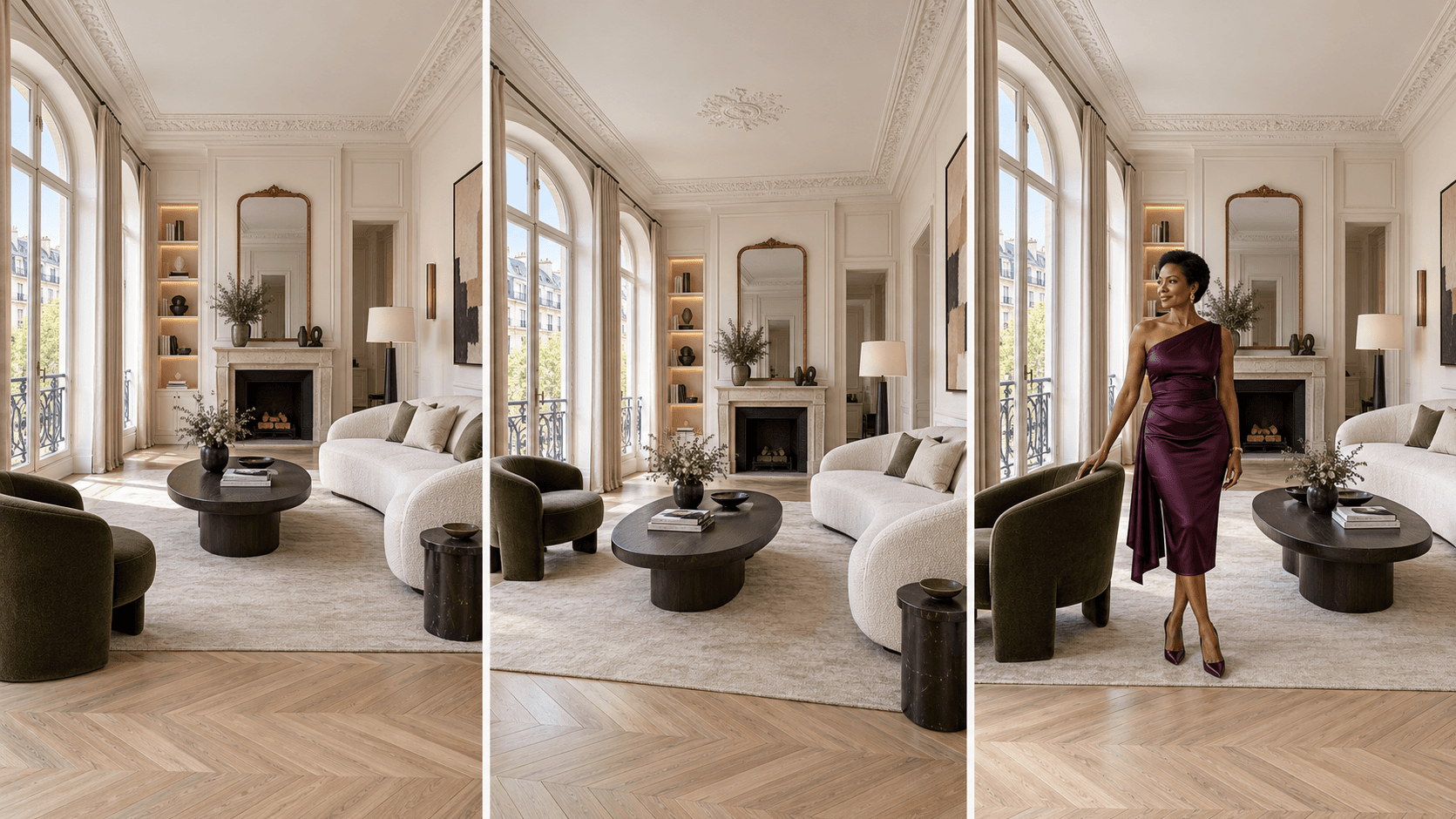
A beautiful character needs somewhere believable to live, work and tell a story. If the sofa moves, the room changes or every camera angle looks like a different apartment, your content loses its sense of place.
Location Studio helps you describe and develop reusable environments, prepare additional camera views and place an approved character into a scene. Start with your own description or an existing location image.
Empty sets. Additional views. Character placement.
What is a custom ChatGPT plugin?
Think of it as a specialist creative assistant inside a compatible ChatGPT account. Each AI Profit Academy studio contains its own instructions, workflows and references, so you can describe your goal in everyday language and receive structured guidance and copyable prompts for that stage of your project.
Your studio combines a specialist AI assistant with recorded video training and guided creative workflows. Bring a new idea, ask follow-up questions and refine your project in conversation. Use the resulting prompts in your chosen image or video tools.
What you will learn inside
Design an empty base location: describe the architecture, furniture, materials, lighting and clear space needed for the action.
Approve a reusable set: keep the actual image you want to use as your environment reference.
Request additional camera views: carry the same room, furniture and layout into useful alternative compositions.
Prepare connected spaces: describe how rooms and visible doorways relate rather than treating every image as a new world.
Place a character naturally: use your approved person, outfit and location references to guide scale, pose, framing and contact with the floor or furniture.
Review location continuity: notice moved objects, changed furniture, implausible reflections and lighting that no longer matches.
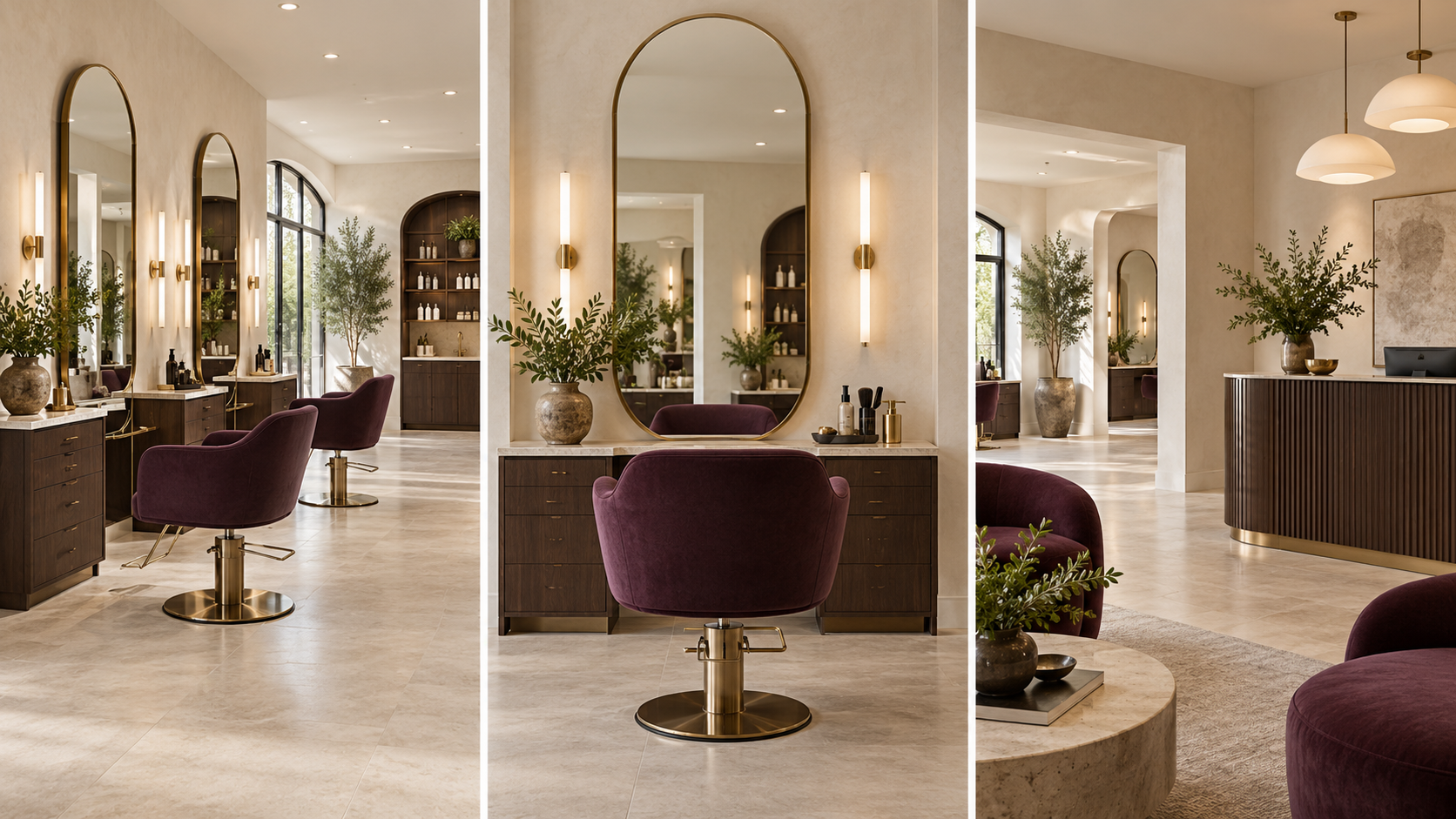
More than one kind of setting
Three ways to use your studio
Create from a description: “Build an airy Paris apartment with cream walls, oak flooring and room for a full-body outfit reveal.”
Reuse a setting: “Use this approved apartment and prepare a sofa-side camera view without redesigning the furniture.”
Place your character: “Put my approved character beside this café table, holding her handbag, with both feet visible.”
The output is a complete location or placement prompt with clear reference roles and a useful next step. Keep the generated views you approve as part of your project references.
What your purchase includes
Your specialist Location Studio AI assistant for reusable rooms, environments and connected spaces.
Recorded video training showing how to bring a location idea into your creative project.
Guided workflows for exploring camera views and placing your character naturally.
Practical examples and AI-guided review support for a more consistent visual world.
Who this is for
AI influencer creators, lifestyle and fashion creators, product-content planners and storytellers who want recognisable settings across their images. Use it for an apartment, salon, café, shop, car interior or another place that fits your project.
From purchase to your first project
Open your course. Find your studio access and recorded training together in your course.
Set up your AI assistant. Follow the included setup instructions to open your studio in a compatible ChatGPT account.
Start a conversation with your studio. Describe your idea and attach the references relevant to your project.
Use and review the output. Copy the prompt into your selected image or video service when generation is needed. Bring the result back for review and targeted changes.
Before purchasing: confirm that your ChatGPT account supports custom plugins. Access, permissions and available features depend on your account and workspace. External AI subscriptions and generation credits are not included.
Beginner questions
Do I need a location photograph to start?
No. Describe the place you want. If you already have a setting you like, upload it and ask the studio to work from that reference.
Will the next camera angle match perfectly?
The workflow uses your approved location to guide consistency. Generators can still change furniture, geometry or lighting, so review each result before using it.
Can it create my character too?
Location Studio focuses on environments and placement. Bring your approved character image, or use AI Influencer & Character Studio separately to establish the identity first.
Does this include animation?
No. This studio prepares image prompts and scene-placement guidance. Video Director is a separate tool for timed action, camera movement, dialogue and sound prompts.
Is this a monthly subscription?
No. This is a one-time purchase of the listed studio package and course resources. ChatGPT and other AI services have their own access requirements and charges.
Is community membership or personal coaching included?
No. AI Profit Academy community membership and personal coaching are separate products. The included recorded lessons let you follow the workflow at your own pace.
Can I use what I create for my own content?
You can develop original projects for your own content and business, subject to the rights in your references and the terms of your chosen platforms. This does not give permission to resell or redistribute the studio plugin, course recordings or proprietary teaching materials.
Will every generation look exactly as planned?
No AI tool can promise that. Clear references and careful review help, but you may need revisions. Views, sales, earnings and flawless results are not guaranteed.
Create the set. Save the views. Build the next scene.
Choose Location Studio for your environment workflow, or get it alongside the other four studios in the complete toolkit.
AI-generated examples. Results vary.