the studio (editing course)
€99
editing shouldn't feel like the hardest part of creating. but for most people, it does. the studio exists to change that
23 bite-sized lessons. everything you need to go from confused to confident in capcut. no jargon, no overwhelm.. just clear, practical editing skills you'll actually use every time you film.
so you can stop guessing and start knowing exactly what you're doing every time you edit a video.
the studio is for you if
you open capcut and immediately feel lost
you're posting but your edits feel messy, inconsistent, or just not quite right
you've been winging it and you're ready to actually understand what you're doing
you want to create content that looks good and feels effortless to make
what does it actually look like inside?
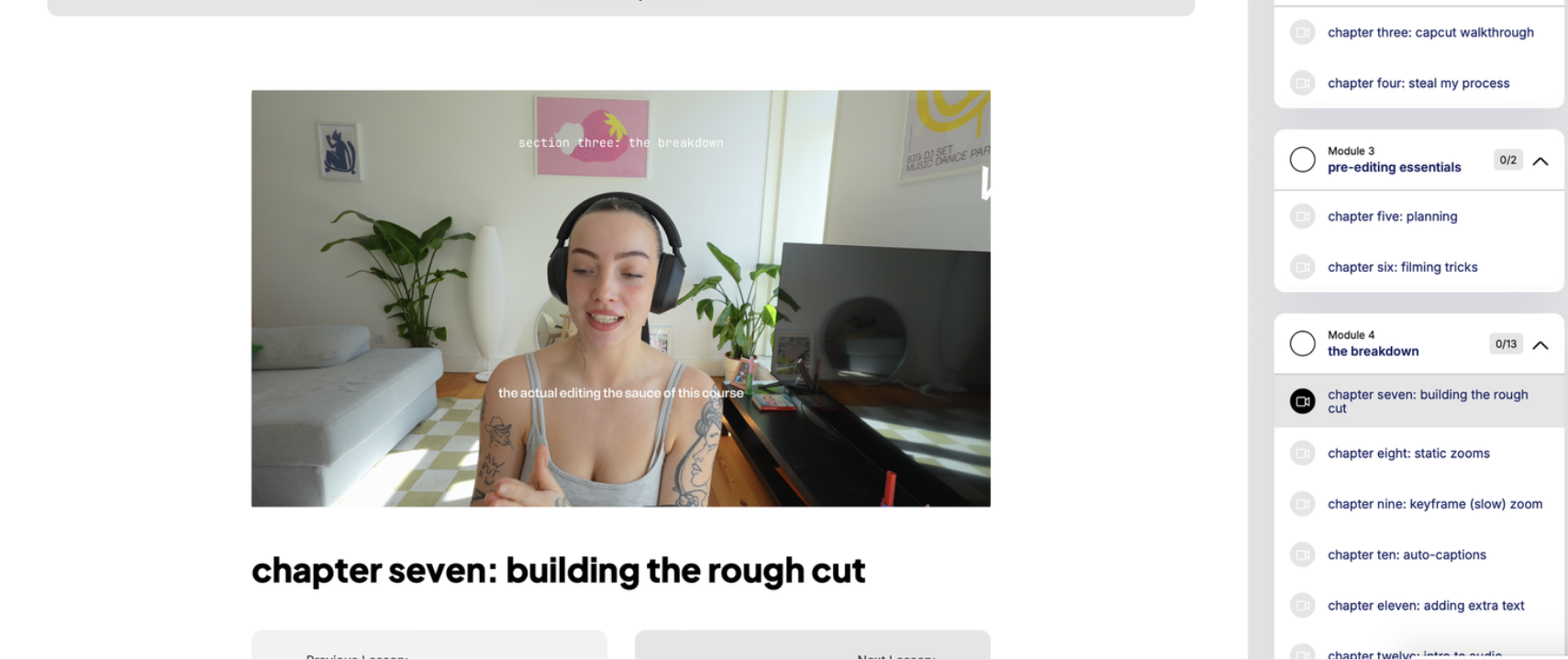
learn the exact techniques we use with every client and creator our creative studio works with. broken into digestible, action-oriented lessons you can come back to whenever you need them.
what's covered:
pre-filming essentials so your footage is good before you even open the app
complete capcut interface breakdown so you finally understand what everything does and why
overlays in depth: stop motion, layering, animations, the works
every editing fundamental you need: rough cuts, sound effects, text, auto-captions, all of it
advanced techniques: masking, keyframes, colour correction, sound design
platform specs so your content looks right on tiktok, instagram, and youtube every time
troubleshooting the most common problems and exactly how to fix them
importing and exporting so no more blurry uploads or mystery file formats
and a loooot more inside 🪿
go at your own pace. revisit lessons when you need a refresh. the studio doesn't expire, it's yours to keep and come back to whenever you're creating something new.
by the time you've worked through it, editing won't feel like something you're figuring out as you go. it'll feel like something you actually know how to do. and that changes everything about how you show up and create.
whether you're making content for tiktok, instagram, or youtube, these are the skills that make the difference between an edit that looks fine and one that makes people stop scrolling.
and hey... don't just take my word for it ↓

Halley Morlock
The studio changed everything for me. I learned so much, and at such a fast pace, too. It’s everything you need to start making aesthetic, pretty, and FUN videos! I was able to start offering video editing as a service as a result of the course, and I’ve totally fallen in love with video editing thanks to Mia! 💕

Emily Wylde
I’ve taken other content courses before but nothing has come close. This is hands-down the most valuable investment I’ve ever made to enhance my content practice. For the first time in forever, I feel excited to show up online.

Anna Portillo
This course is seriously amazing. I often feel overwhelmed with all the editing. Mia made it super clear, easy to understand and so much fun. I learned a lot and will definitely come back to it again and again. I can honestly 100% recommend this course, I feel so pumped to try out all the new things I learned. ❤️❤️

Hollie
the only CapCut mini-course you'll ever need, The Studio 😍 She also guides you through creating your own video editing/storytelling style, and I'm walking away feeling SO INSPIRED to create! 11/10 recommend!

Geenay Laubscher
I've been following Mia on Tik Tok and - like many- was obsessed with her clean editing. So when I wanted to start creating my own reels I knew there had to be a way, a system, a course - something out there that can help me blast past the 'figuring out' stage. SO HAPPY when I realised Mia had a mini course. Exactly what I needed and so well articulated. It's also not hours long which is a bonus.

Sarah Balsam
I’m so impressed with the amount of detail and care you put into each video! I was super excited to see the new videos you just added and it’s awesome you are on top of new updates. Your instruction is easy to follow and non intimidating. The Studio has totally sold me and I’m going to sign up for your create course so I can feel confident showing up online. Thanks Mia!

Reesha Kaur
I love how they're in bite-size to digest every section on how to use Capcut efficiently. Mia, youre so entertaining, and I love your personality. It makes it less boring to consume new information!

Britt Stauduhar
Truly so informative, can’t wait to play with CapCut more!!! 💕 SO MUCH value in here!!!

Fen Smith
Mia's course is an amazing introduction to video editing on CapCut. I have zero previous experience and through each step of the course I was able to fully edit a video! Thank you so much Mia 💖🫶