📊Monthly Social Media Insight Report | Canva
$20
How to use this template
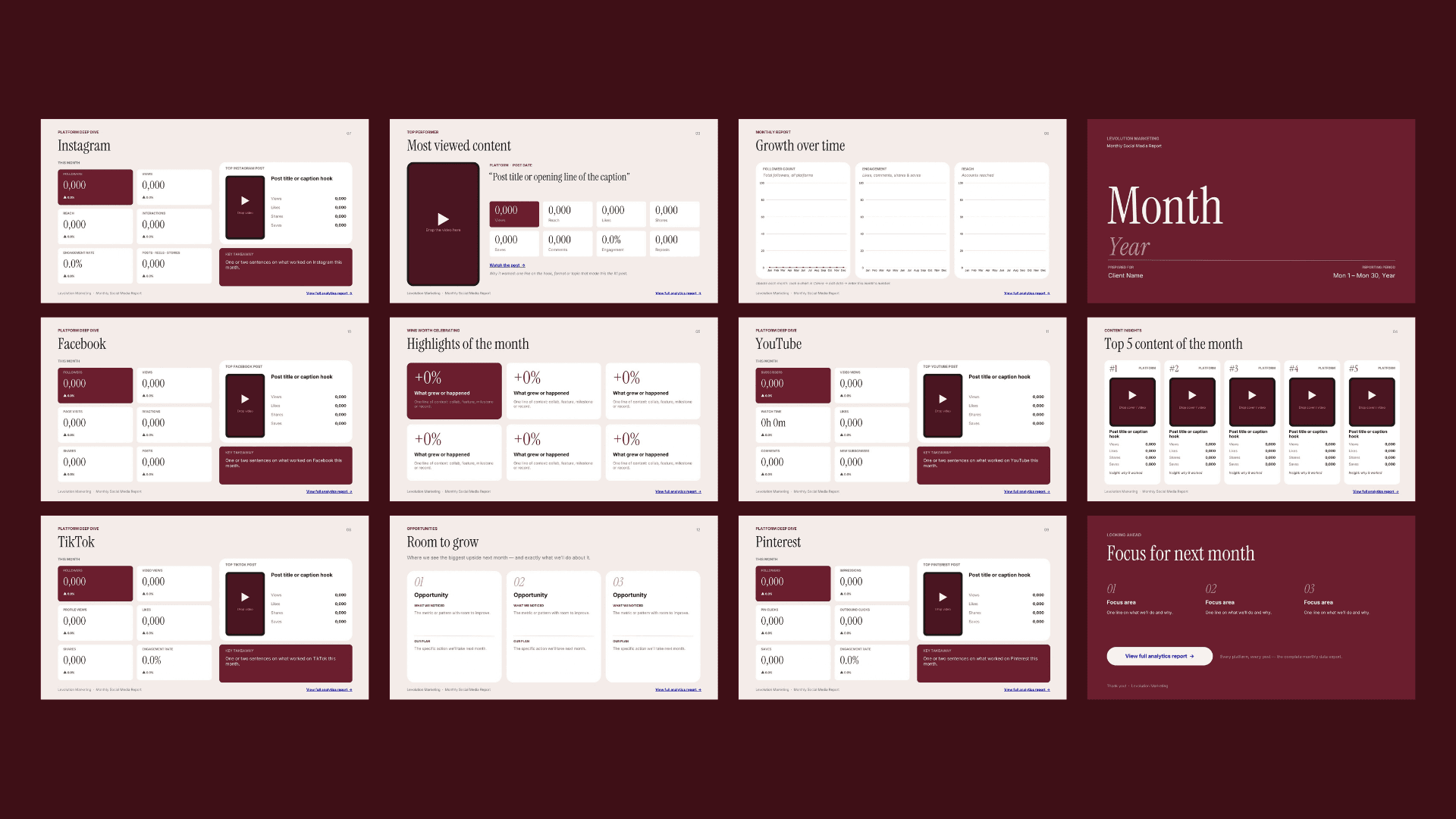
What you get: a 13-slide monthly social media report template for Canva. It covers a summary of the month, your top 5 posts, highlights, growth graphs, a slide for each platform (Instagram, TikTok, Pinterest, Facebook, YouTube), "Room to grow" and next month's focus.
Option 1: Fill it in yourself
You can review all the analytics reports directly from each individual app, including Instagram, TikTok, Facebook, and Pinterest.
You can also manually add links and videos to your report. The template is 100% customizable, so if there’s anything you don’t need, simply delete the section or move the designs around to fit your needs.
💡 If you’re using this template for a client, I recommend changing the fonts, colors, and design elements to match their branding.
This little tip always makes my clients feel like they’re being well taken care of and gives the report a much more personalized, professional touch. ✨
⏱ About 30–45 minutes the first time, and faster every month after.
Option 2: Let AI do the heavy lifting (with a Metricool report) *recommended
In Metricool, export your monthly PDF report for the client.
Open ChatGPT, Claude or another AI that can read PDFs, and upload the report.
Copy and paste the prompt you'll see in the last page of this template.
The AI gives you every number and sentence, slide by slide. Copy them into the template.
Add your videos, update the graphs, and add your report link, as in steps 3–6 above.
⏱ About 10–15 minutes.
✨Try Metricool FREE for 30 days with my code “LEVOLUTION” and unlock paid-plan features! ✨
< click here to start the trial >
💡 Tip: if your AI is connected to Canva (for example, Claude with the Canva connector), you can share your template link and ask it to fill in the slides for you.