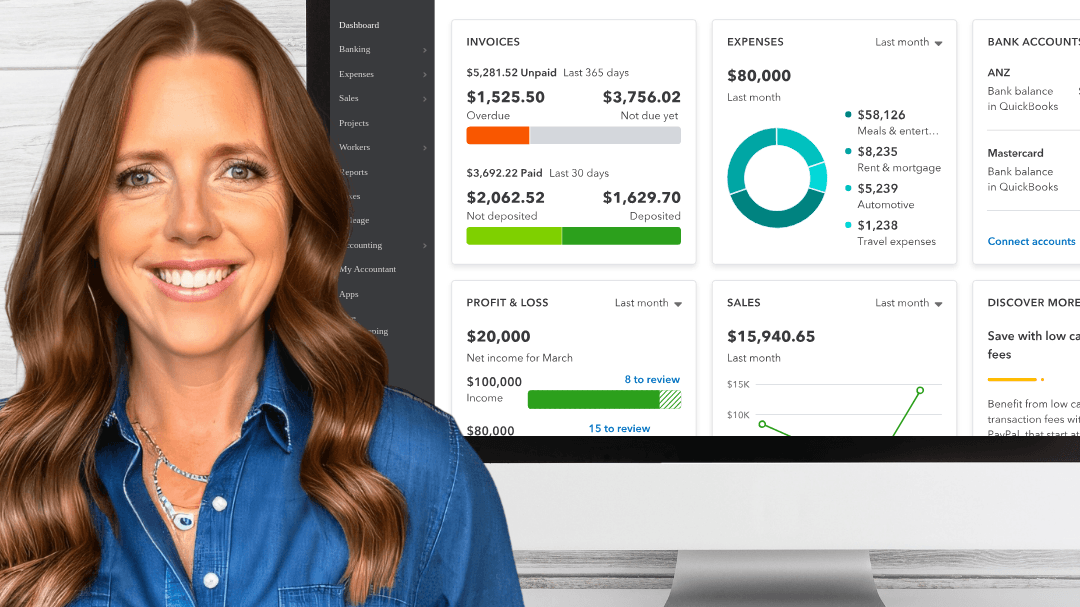
QuickBooks Training for Business Owners
Are you ready to take control of your business finances? Look no further than our transformative QuickBooks Training program. With our comprehensive training, you'll gain the skills and knowledge needed to effectively manage your financial records and streamline your business operations. Say goodbye to the stress and confusion of bookkeeping and hello to financial clarity and success.
Master QuickBooks: Learn how to navigate the QuickBooks software like a pro. From setting up your accounts to recording transactions, our training will empower you to confidently handle all aspects of your financial management.
Efficient Bookkeeping: Discover the best practices for organizing and maintaining your financial records. Say goodbye to messy spreadsheets and hello to accurate and up-to-date bookkeeping that will save you time and headaches.
Financial Reporting: Unlock the power of QuickBooks' reporting features. Learn how to generate insightful financial reports that will help you make informed business decisions and track your progress towards your financial goals.
Business Growth Strategies: Gain valuable insights into your business's financial health and identify opportunities for growth. Our training provides the tools and knowledge to analyze your financial data and make strategic decisions to drive your business forward.
Don't let financial management hold you back from achieving your business goals. Invest in our QuickBooks Training program and unlock the potential of your business. Get started today and experience the transformational impact of our QuickBooks Training.
➡️ What's Included With Your Training?
On Demand Format
30 Day Money Back Guarantee
Lifetime Course Access
PDF Downloads
Email Support
➡️ Course Curriculum
Chapter 1: Welcome to QuickBooks For Entrepreneurs(06:28)
Lesson 1: About Your Instructor
Lesson 2: QuickBooks Test Drive Account
Download: 19 Essential Finance Terms for Business Owners
Lesson 3: Key Terms to Note
Notes: The Legal Stuff
Chapter 2: Getting QuickBooks Setup(29:17)
Lesson 1: Selecting the Right QuickBooks Plan
Lesson 2: Creating Your QuickBooks Account
Lesson 3: How to Edit Your Company Information
Lesson 4: Adding Your Accountant/Bookkeeper to QuickBooks
Lesson 5: Customizing Preferences
Lesson 6: Understanding the QuickBooks Dashboard
Chapter 3: Connecting Data to QuickBooks(08:27)
Lesson 1: How to Connect to a Bank Accounts and Credit Cards
Lesson 2: Editing, Organizing and Removing Linked Accounts
Chapter 4: Managing the Banking Feed(43:45)
Lesson 1: What is the Banking Feed?
Lesson 2: Creating a Vendor or Customer in the Banking Feed
Lesson 3: Assigning and Categorizing Transactions
Lesson 4: Splitting Transactions
Lesson 5: Creating Rules for Automatic Categorization
Lesson 6: Returns/Refunds
Lesson 7: Transferring Funds Between Accounts
Chapter 5: Profit and Loss (P & L) Report(16:51)
Lesson One: Understanding Your P&L Report
Lesson Two: Reviewing Your P&L Over Specific Time Periods
Lesson Three: Customizing Your Reports
Chapter 6: Advanced Topics -Journal Entries and Reconciliation(36:32)
Lesson One: What is A Journal Entry
Lesson Two: Categorizing Assets and Liabilities
Lesson Three: Recording a Vehicle or Equipment Purchase
Lesson Four: Balance Sheet
Lesson Five: Reconciling Your Account
Chapter 7: Summary and Next Steps(03:19)
Lesson 1: Key Takeaways
➡️ FAQs
Will I have lifetime access to the QuickBooks course?
Absolutely! Each course provides you with lifetime access to all the course materials. You can revisit the content and resources as often as you need, even after completing the course.
Do I need to start the training right away?
No, you have the flexibility to start the courses whenever it suits you. There are no fixed start dates or times. You can also, stop, pause and rewind the training as you need.
➡️ Lets' Review What You Will Learn

Seamless Transition from Excel to QB
I had been juggling Excel spreadsheets to manage my business finances for the longest time. I knew I needed to upgrade to QuickBooks, but I was apprehensive. This course eased all my fears. Now I can't imagine going back. If you're accustomed to Excel but are considering QuickBooks, this is the course for you!

Caught Up an Entire Year of Books
I was a whole year behind on categorizing my business finances and was drowning in a sea of disorganized records. Melissa guided me through how to efficiently sort and categorize past transactions, making it easy for me to finally catch up. The stress relief I feel is immeasurable. If you're behind and feeling overwhelmed, this course is an absolute must!

Life-Saver for My Small Business!
Before these QuickBooks classes, I was overwhelmed by the complexities of managing my business finances. The instructor made everything so easy to grasp. Now, I feel like a pro at handling my financial statements, invoices, and more. Thank you for making such a daunting task manageable!