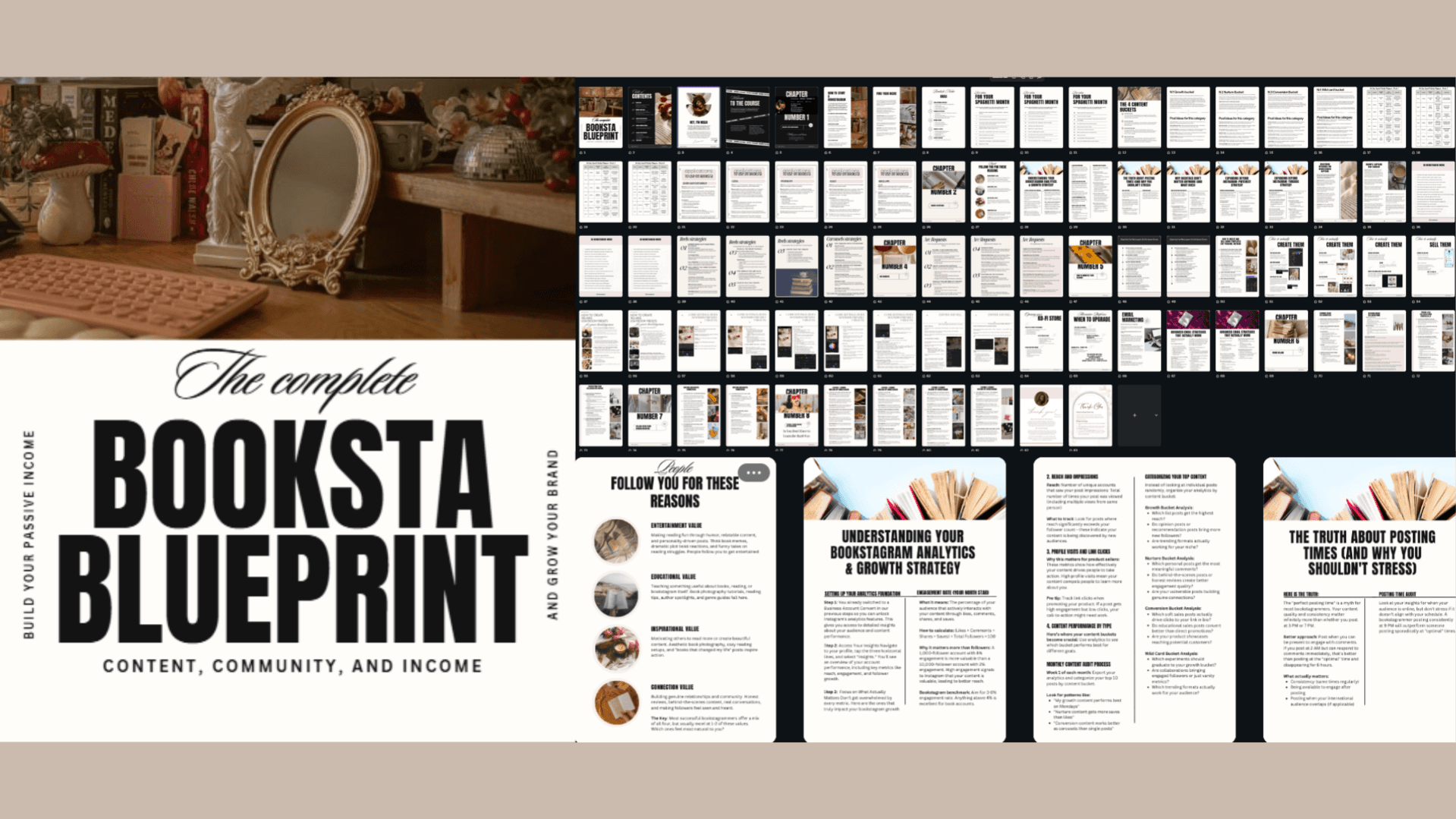
Bookstagram Growth E-book + Canva Crash Course
$27$50
What You're Getting (88 Pages of Actionable Content)
🌟 Creating Your Bookstagram Foundation (20 pages)
Essential apps that actually matter (Lightroom, Canva, InShot + why)
Bio optimization that converts browsers to followers
4-week social media content planner you can use immediately
The 4 content buckets strategy that ended my "what to post" struggles
Finding your unique bookish niche in a crowded space
📈 Growth Strategies That Actually Work (16 pages)
The 4 core values that make people hit "follow" (with bookstagram examples)
Understanding analytics without getting overwhelmed
Why hashtags are dead and what to focus on instead
Mastering keywords and captions (with real examples that converted)
50 proven bookstagram hooks that stop the scroll
Pinterest and Threads strategies for multi-platform growth
Reels and carousel strategies specifically for book content
💰 Monetizing Your Bookstagram (21 pages)
15+ realistic income streams for bookstagrammers
Step-by-step guide to creating and selling Canva templates (my main income source)
How to create and sell Lightroom presets (what I started with)
Setting up your Ko-fi shop (free option)
When and how to upgrade to Stan Store
Email marketing that actually converts book lovers
🤝 Brand Collaborations
How to price your collaborations strategically
Email pitch templates that get responses
Building long-term brand relationships
Collaborating with other bookstagrammers for mutual growth
🎯 Lessons I Learned the Hard Way
The mistakes that cost me months of growth
What I wish I'd known about community building
How to avoid burnout while scaling your business
Why This Guide Is Different:
✅ Written by someone who actually built a successful bookstagram business ✅ Real numbers, real strategies, real results ✅ No fluff - every page is actionable advice ✅ Includes actual templates and examples I use ✅ Covers the business side most guides ignore
⚠️ Usage Reminder
The 70 Pages E-book is for personal use only. Please do not share, resell, or redistribute them in any way. The Canva Crash Course included in this pack is for resell rights, see below.
📚 WHAT'S INCLUDED
Over 1.5 Hours of Step-by-Step Video Tutorials 11 Comprehensive Chapters PLR + MRR Resell Rights Lifetime Access
🎓 CANVA CRASH COURSE CURRICULUM
Chapter 1: Getting Started with Canva
Navigate Canva's interface with confidence and understand the basics that most tutorials skip over.
Chapter 2: Your Workspace
Set up your workspace efficiently so you can create content faster and stay organized.
Chapter 3: Your Toolset
Master the essential tools you'll use in every single design. No fluff, just what actually matters.
Chapter 4: Font Pairing, Hyperlinks & Brand Kit
Learn which fonts work together, how to add clickable links, and create a brand kit that keeps your content cohesive.
Chapter 5: Canva Magic Studio
Unlock Canva's powerful features including background remover, magic resize, and more.
Chapter 6: My Favorite Canva Elements for Posts
Discover the exact elements I use to create scroll-stopping bookstagram content (all free or Pro elements clearly labeled).
Chapter 7: Saving and Sharing Your Projects
Never lose your work again. Learn the right way to save, organize, and share your designs.
Chapter 8: Apps & Other Canva Features
Explore hidden features that take your designs from good to professional.
Chapter 9: How to Create Digital Products
Guide to creating templates, presets guides, and other digital products you can sell.
✨ WHO THIS IS FOR
✓ Bookstagrammers tired of their content looking "off" ✓ Creators who want to design quickly without sacrificing quality ✓ Anyone wanting to create digital products to sell ✓ People who learn better with video tutorials than written guides
No prior Canva experience required