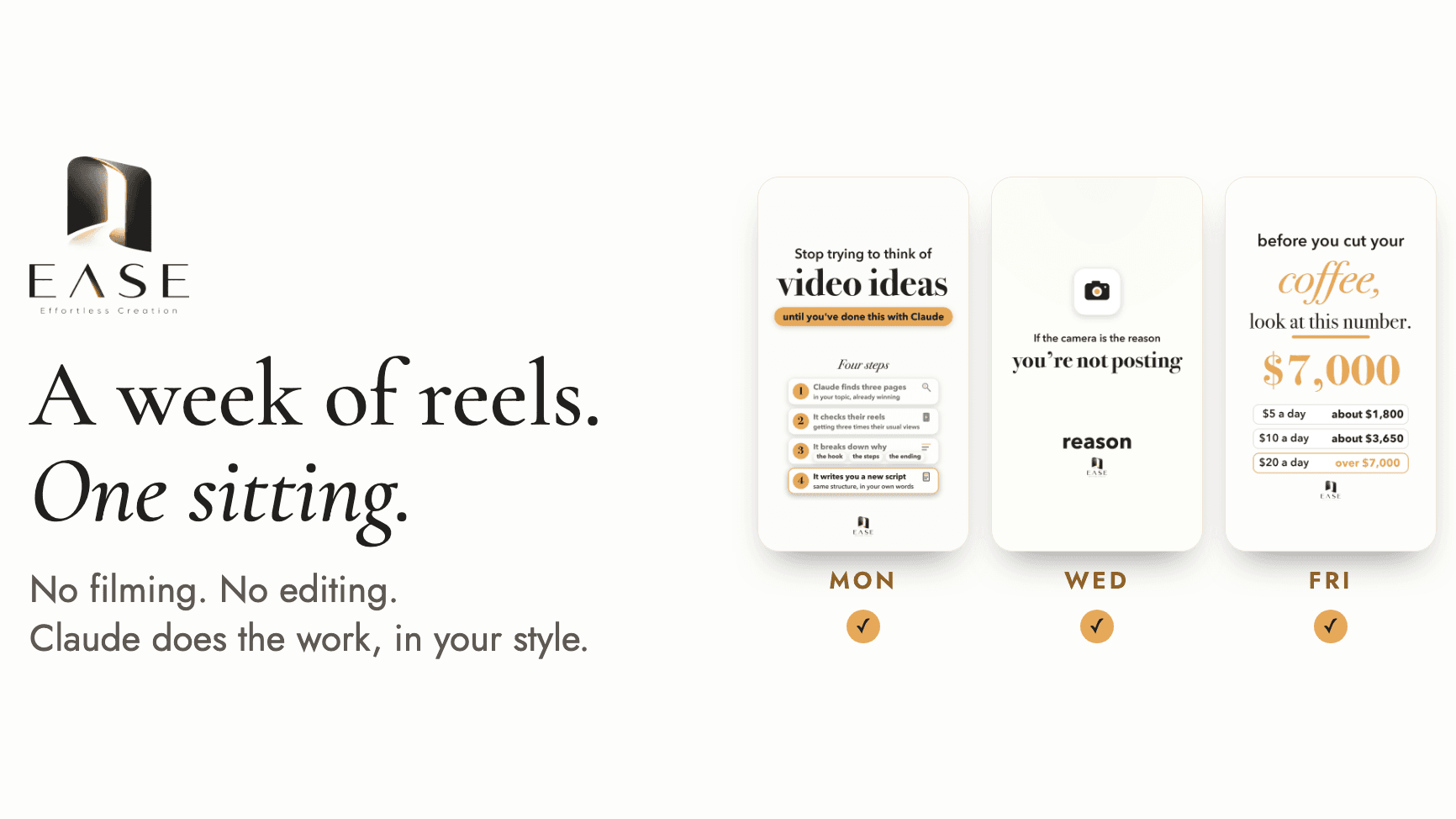
EASE: Reels You're Proud to Post
$297
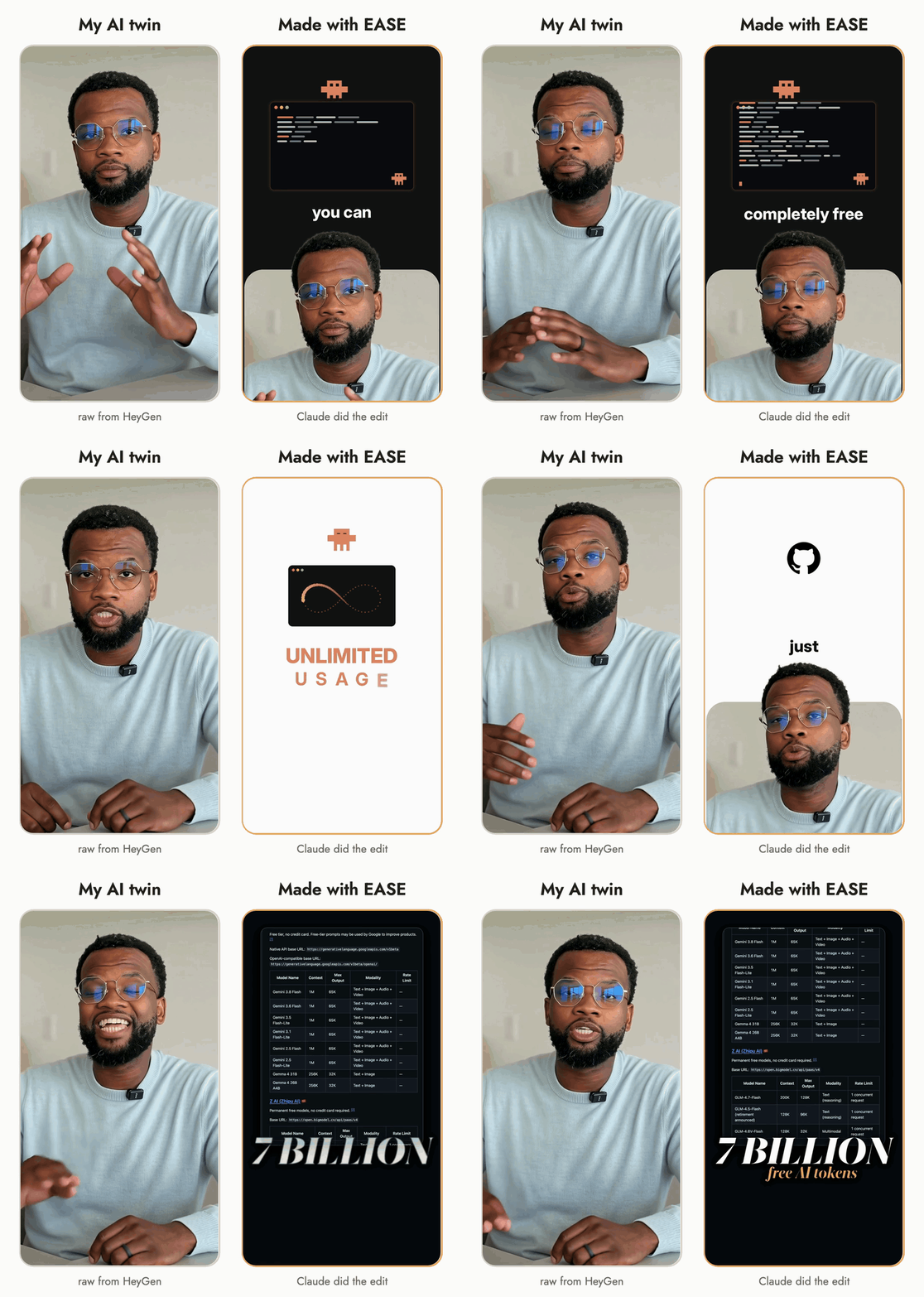
Left: my AI twin, straight out of HeyGen. Right: the same clip after Claude edited it in the style of a reel I love. No new filming, and I never touched editing software.
More than 100 people joined EASE in its first week. Here's why.
You know this feeling.
You save a reel that looks amazing and think, "I could make that." Then you sit down to actually make it. What do I even say? You prop up your phone, hate how you look, and do take after take.
Then the whole evening goes to cutting, fixing captions and hunting for music. At 11 p.m. it still doesn't look like the one you saved, so it sits in your drafts. And tomorrow you're supposed to do it all again.
Here's the thing nobody tells you. You're not lazy and you're not "bad at content." You've been trying to do four jobs by hand after a full day: researcher, scriptwriter, on-camera talent and video editor. No wonder it's hard to stay consistent when every video means starting all four over again.
And while your videos sit in drafts, the thing you're building online, your product, your offer, your page, doesn't get seen.
Now picture this instead.
You set it up once: Claude learns the editing style you love, and you make your AI twin or record your voice.
Then each week you sit down for one session. Claude helps you pick ideas from what's already working in your niche and turns them into scripts you approve. Your twin says them without another filming session, or your own voice carries them. Claude edits each one in your saved style, and you ask for changes in plain English. You post from your phone through the week, and your evenings are yours again.
And your page finally looks like someone who knows what they're doing.
"But I'm not techy."
Good. Most people in EASE aren't. Lesson 1 starts at opening your browser, and every lesson is my real screen, so you pause, do the step, and come back. Watch Lesson 1 right here, free, before you decide:
How it works: you stop doing the jobs and start directing them.
Find what's working. Claude helps you study the pages already winning in your niche and spot the videos worth making your own version of.
Write it. Claude turns the idea into a first draft in your words. You read it, tweak it and approve it.
"Film" it. Your AI twin says it, or your own voice does. No camera.
Edit it. Teach Claude a style you love once, with a reference video. From then on it edits in that style, and you tell it what to change in plain English.
Post it. Claude writes the caption and makes the cover. You post from your phone.
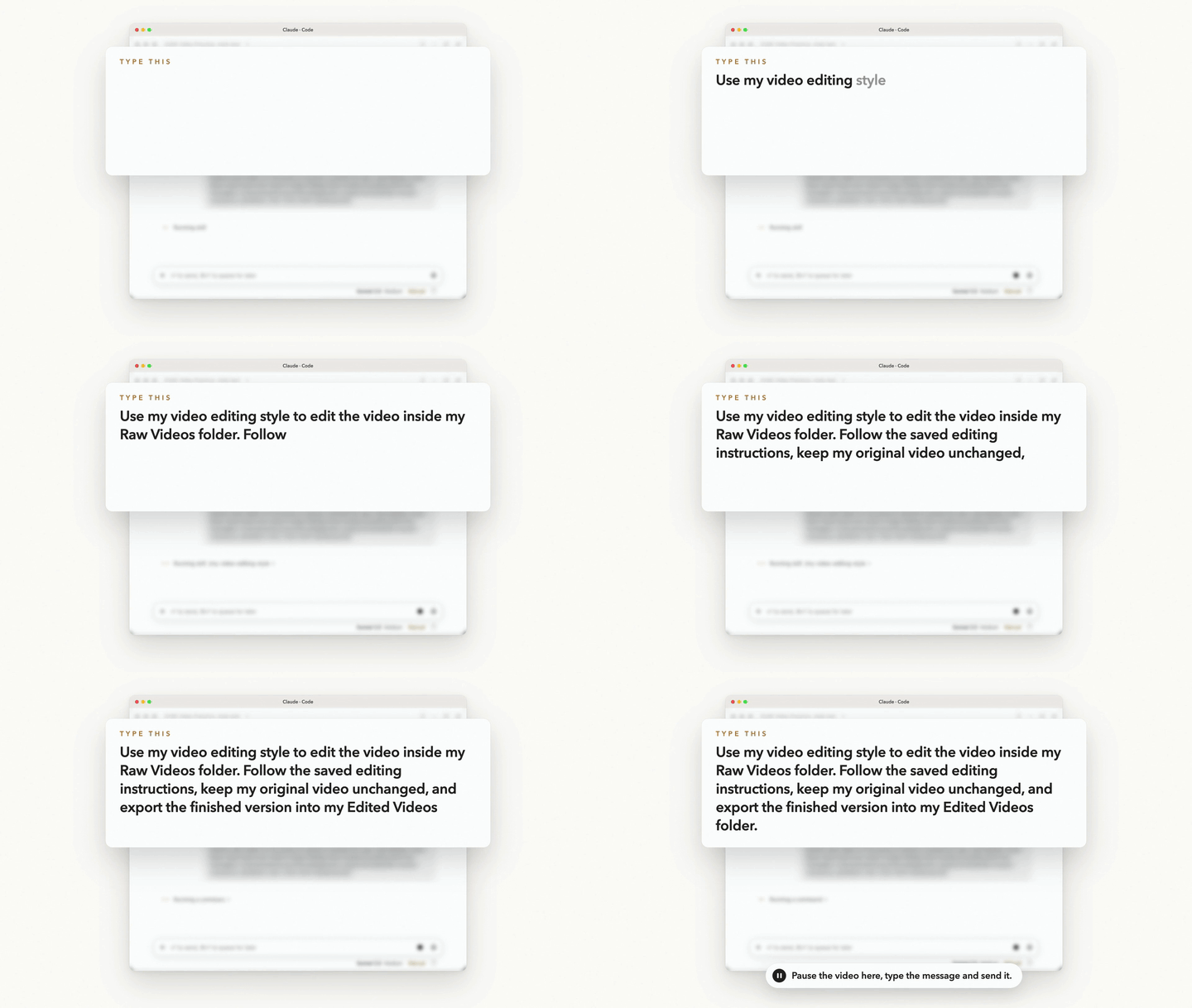
A real moment from Lesson 5: one plain-English sentence, and Claude edits the video in my saved style.
This isn't a magic button. You choose the ideas and approve the result. EASE teaches you how to direct the work, so you don't have to do it all yourself.
Your face or no face. You choose.
With your face: your AI twin.
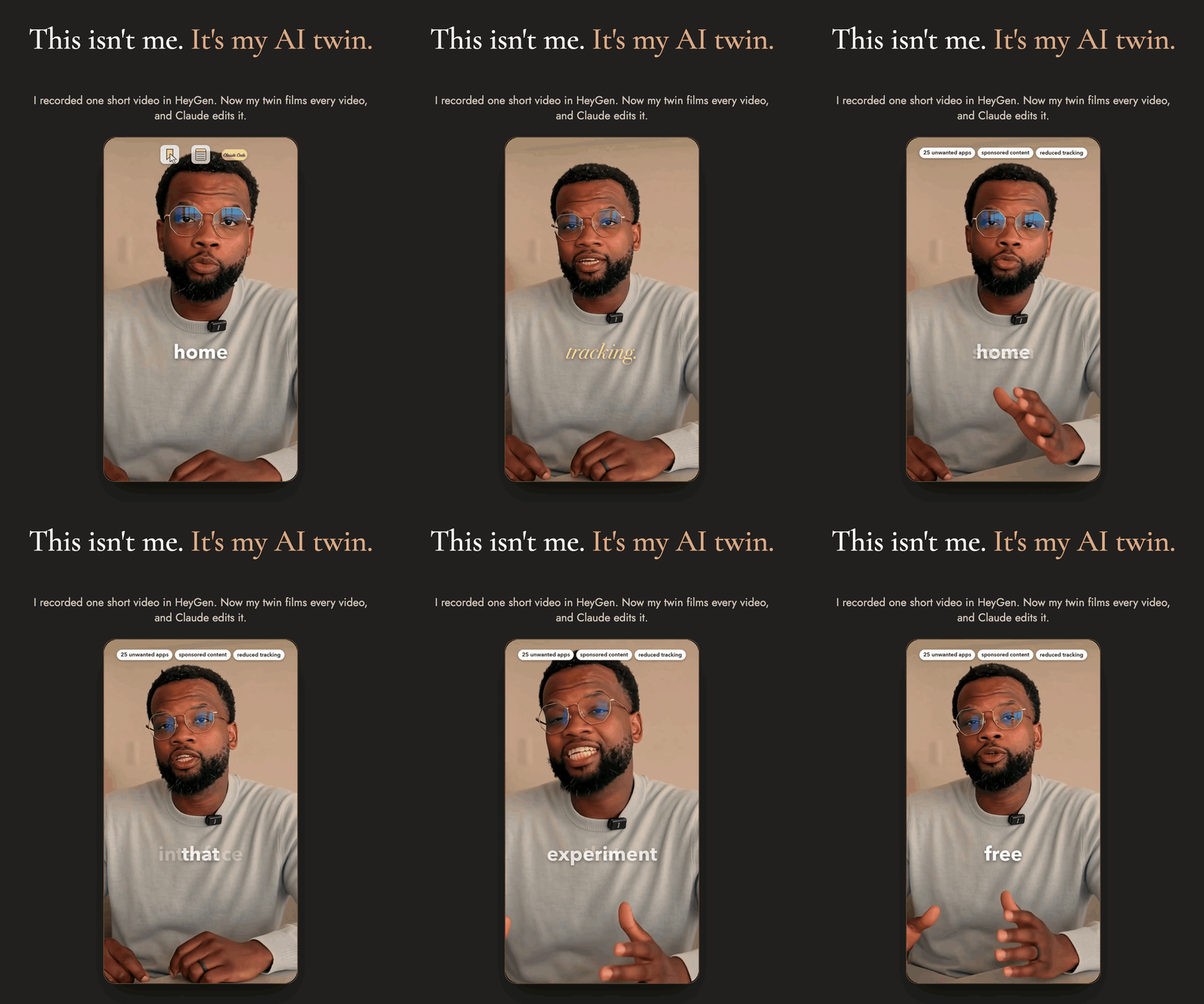
This isn't me. It's my AI twin. I recorded one short video in HeyGen, once, and now my twin says the scripts I give it, in my voice. Rather not use your own face? HeyGen's ready-made presenters work the same way.
No face at all: Say It, Show It.
The old faceless is a pretty clip of a laptop or a coffee, one line of text on top the whole time, and the real message left to the caption. The picture has nothing to do with the words, so people scroll past.
Say It, Show It is different. Your own voice explains something, and every line gets its own picture, built for that line. Whatever your voice says, the screen shows, right then. That's what keeps people watching.
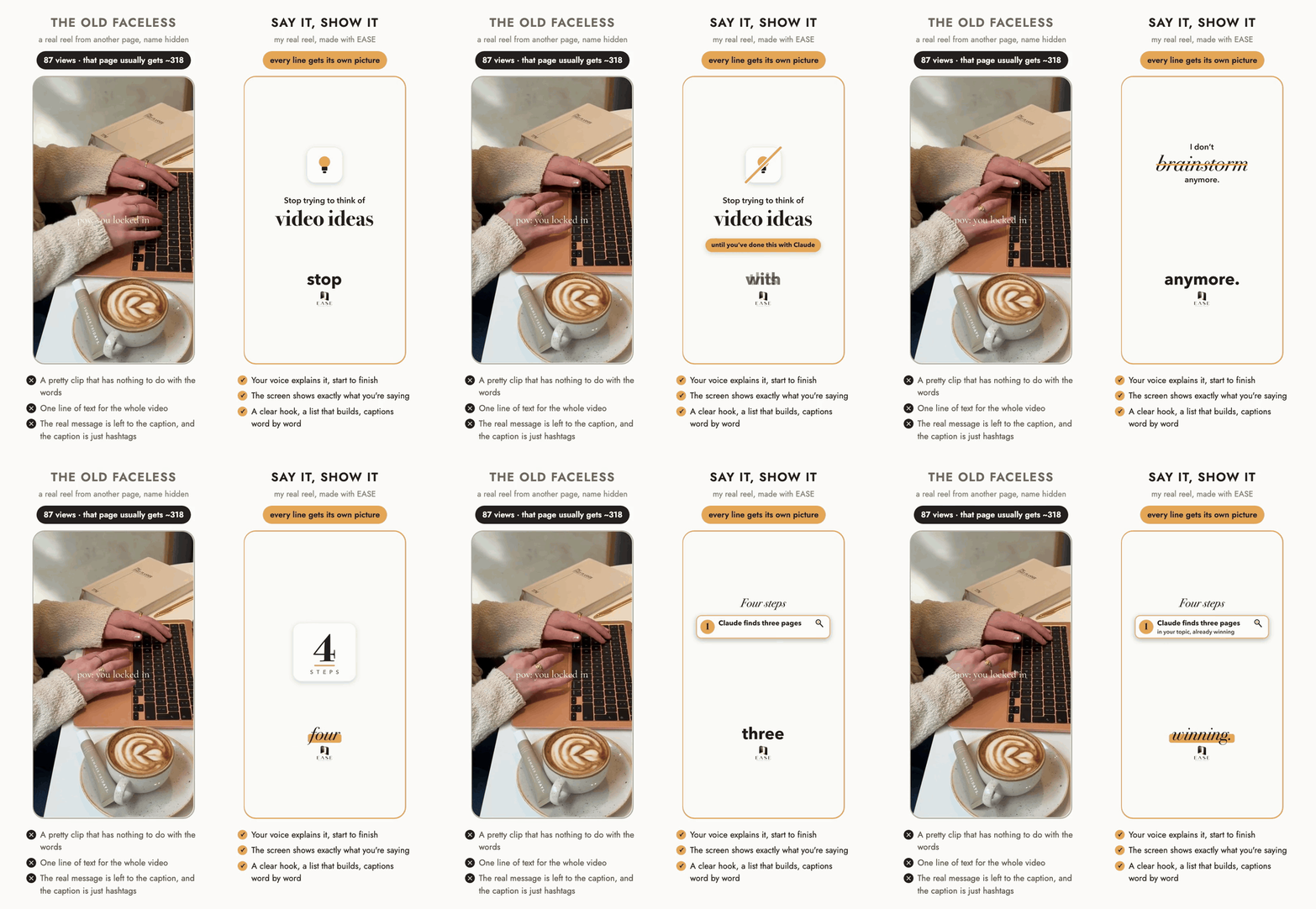
Left: a real faceless reel from another page, done the old way (name hidden). When I checked, it had 87 views on a page that usually gets about 318. Right: my reel, made with EASE. No camera and no face, just my voice, and Claude built a picture for every line.
What's inside EASE
13 short lessons · about an hour and a half · 8 copy-and-paste prompts · a weekly system
1. Claude becomes your editor. Set up Claude, teach it the style you love, and make your AI twin. You get your first edited video early.
2. You always know what to post. Find what's already working in your niche and turn it into scripts in your own words.
3. Make it and post it. Your first full reel, then Say It, Show It (the lesson breaks down a faceless reel built this way that got 381,000 views, about 60 times that page's usual), then your weekly system: captions, covers, posting from your phone, and a week planned and made in one sitting.
What you get
All 13 lessons, the moment you join
All 8 prompts, so you're never staring at an empty box
Every new lesson I add, at no extra cost
The EASE community on Skool, where you can ask me questions
A link to share EASE, with 50% of every sale you refer
EASE is for you if
You've saved a hundred reels you wish you could make
You're building something online, a product, a service, a page, and it needs content to get seen
You hate being on camera, or you just don't want to film every day
You're spending your evenings editing, or paying someone to do it
You've told yourself "I'm just not a tech person"
EASE isn't for you if you want a button that makes viral videos with zero input. You still pick the ideas and approve the result. Claude does the heavy lifting.
What it costs, all in
EASE is $297, one time. To follow along you'll also need:
A computer (Mac or Windows). You make the videos there and post from your phone.
Claude Pro, $20 a month.
HeyGen. The free plan lets you make your twin and try a few short videos with a watermark. To post every week without it, plans start at $29 a month.
For comparison, an editor charges $50 to $200 for one video.
Honest answers
"Is this just another AI course?" Other courses teach one tool at a time. EASE connects them into one finished video, from the idea to the post, and you saw the result at the top of this page.
"Won't it look fake?" Watch the clips and judge for yourself. And if you'd rather not use an AI face at all, Say It, Show It has no face in it.
"Do I have to record anything?" For your twin, one short video, once (HeyGen also asks for a quick consent clip). For faceless, just your voice, once. After that, nothing.
"Can I do it on my phone?" You make the videos on a computer, because that's where Claude edits. You post from the Instagram and TikTok apps, and the lesson shows you every tap.
"Will it work in my niche?" EASE isn't tied to one niche. You find what's already winning in yours and make your version of it.
"Can I get a refund?" No, all sales are final. That's why Lesson 1 is free above and every clip on this page is real, so you know exactly what you're getting first.
Those reels you keep saving? It's time to make your own.
EASE gives you 13 short lessons on my real screen, 8 copy-and-paste prompts and a weekly system that takes an idea all the way to a finished reel, with your AI twin or with no face at all.
$297, one time. Instant access. Claude and HeyGen are billed separately. All sales final.