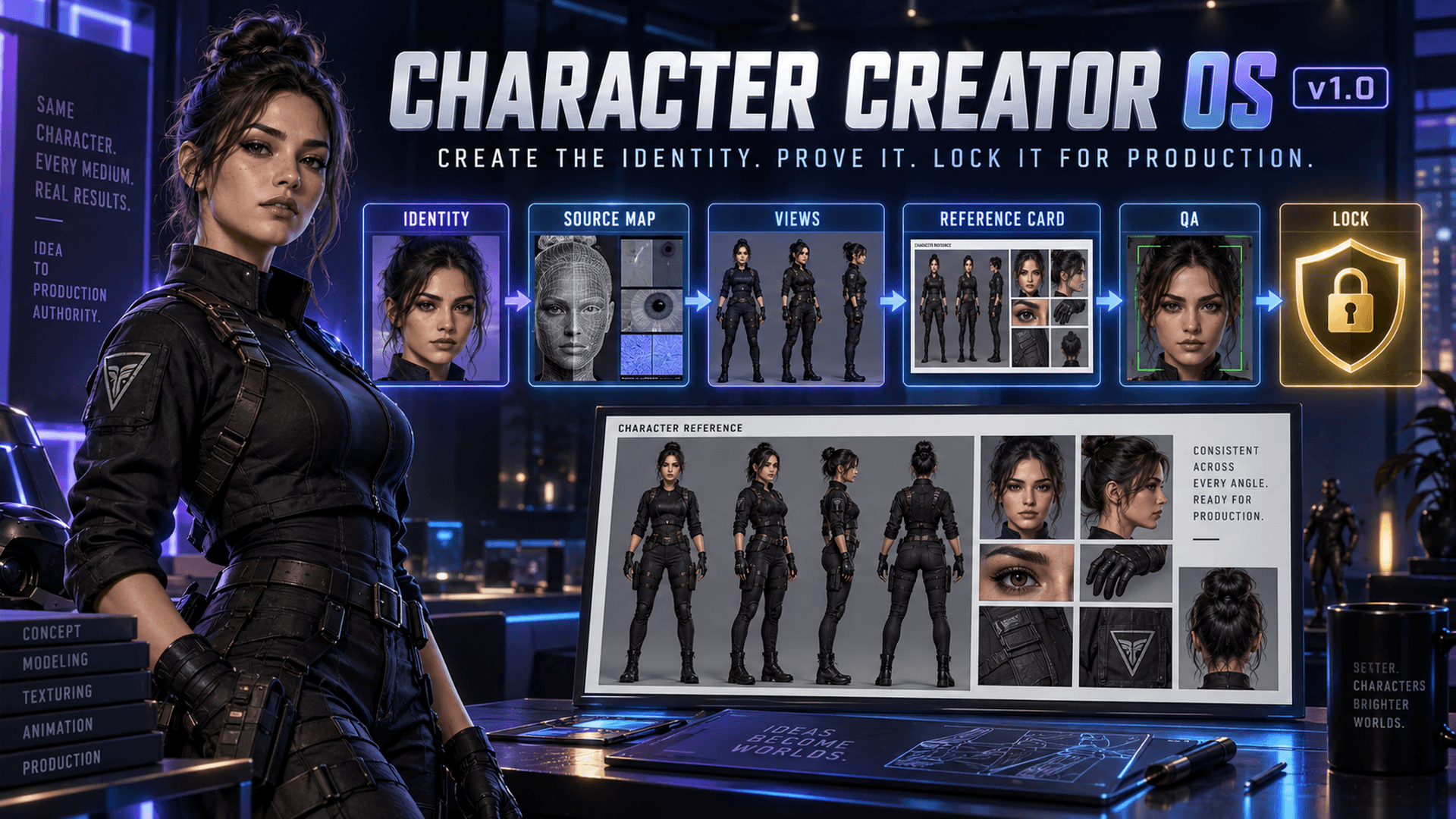
Character Creator OS (CCOS) v1.0
$39$49
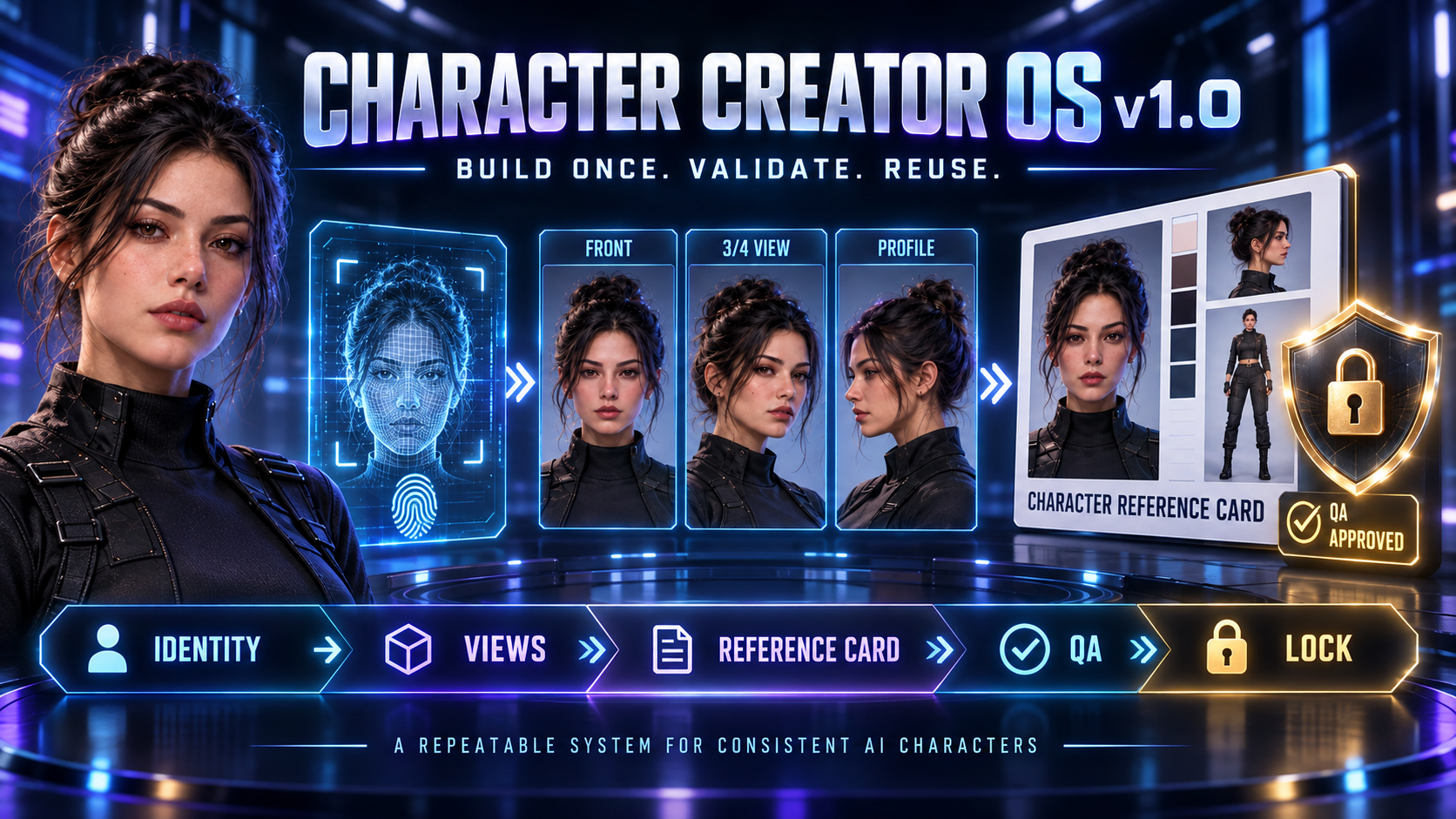
Stop Rebuilding the Same AI Character Every Time You Generate
Creating one attractive AI character image is relatively easy.
Producing the same recognizable character across new angles, outfits, environments, campaigns, scenes and video generations is where the real difficulty begins.
Character Creator OS v1.0 gives you a structured system for transforming an original character concept—or a lawfully authorized collection of reference materials—into a documented, tested and reusable character identity.
You will define what makes the character recognizable, determine which attributes must remain stable, build controlled reference views, assemble a Character Reference Card, evaluate consistency and lock the approved result for later production.
This is more than a character prompt pack. It is a complete character-authority system for creators who want recognizable identities, controlled variation and production files they can reuse.
START HERE
After downloading the product:
Open the Character Creator OS v1.0 15-Minute Quick-Start Guide.
Create your Character Launch Card.
Write your first Identity Lock.
Generate one neutral proof image.
Run the Five-Gate Check.
Save the proof using the included naming system.
Continue into the Core Edition to complete the character.
Your first objective is a visible, reusable result—not hours of theory.
YOUR FIRST RESULT IN APPROXIMATELY 15 MINUTES
The Quick-Start Guide helps you create a CHARACTER LAUNCH CARD, which establishes:
A permanent Character ID
A working character name
The character’s role
The intended audience
The character’s first production purpose
Five recognizable identity anchors
Three prohibited changes
A short Identity Lock
A neutral front-view generation prompt
A naming structure for the first saved proof
You do not need a completed reference card, perfect measurements, paid design software or advanced prompt-engineering experience before starting.
THE CHARACTER CREATOR OS WORKFLOW
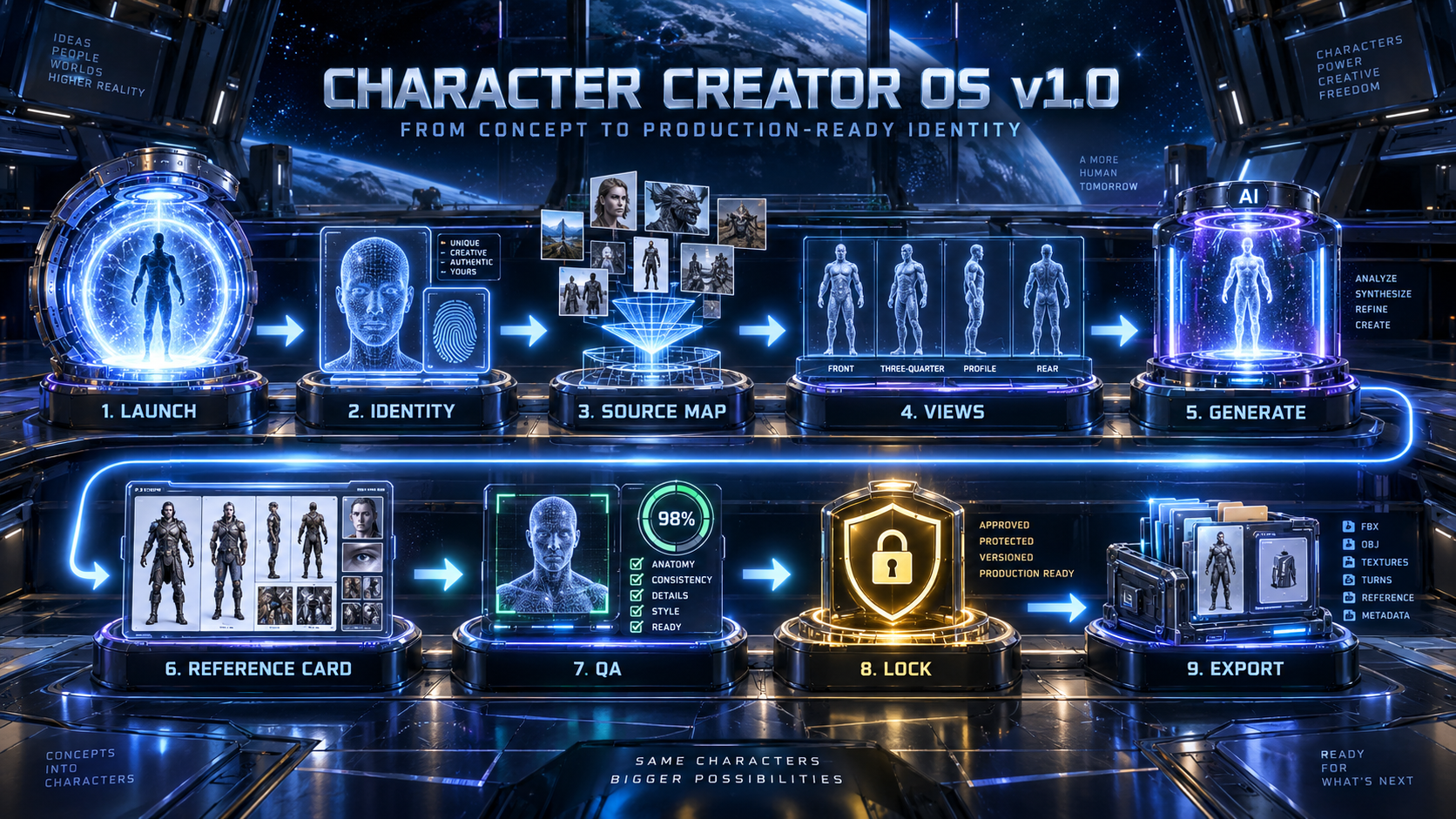
LAUNCH → IDENTITY → SOURCE MAP → VIEWS → GENERATE → REFERENCE CARD → QA → LOCK → EXPORT
Launch — Turn the initial character idea into a named production project.
Identity — Define the facial structure, eyes, hair, skin, proportions, silhouette and distinguishing traits that make the character recognizable.
Source Map — Assign every authorized reference source a specific contribution while preventing unrelated features from transferring between sources.
Views — Plan the front, three-quarter, profile, full-body, rear and detail views required to understand the complete character.
Generate — Produce controlled neutral images in manageable batches so identity failures can be identified early.
Reference Card — Assemble approved views into a readable, versioned Character Reference Card.
Quality Assurance — Evaluate identity, anatomy, eyes, hair, skin, proportions, presentation, layout and metadata.
Lock — Approve the character, record its release version and protect the locked master from accidental changes.
Export — Package the character’s Identity Lock, approved views, QA results and structured production data for future work.
WHAT YOU WILL LEARN
Character Creator OS teaches you how to:
Convert an idea into a defined character identity
Assign a permanent Character ID
Describe facial structure without relying on vague style words
Define skin, eyes, hair and distinguishing traits
Stabilize height, anatomy, proportions and silhouette
Separate locked attributes from changeable attributes
Classify Hard Locks, Soft Locks and production variables
Record prohibited changes
Work with original concepts or lawfully authorized reference materials
Assign each reference source a controlled contribution
Prevent identity, wardrobe and anatomy contamination between sources
Synthesize multiple influences into one coherent new character
Plan neutral face and full-body reference views
Generate reference views in controlled batches
Approve identity before adding expressions or cinematic styling
Assemble a multi-view Character Reference Card
Evaluate character consistency with measurable QA gates
Identify facial, anatomical, styling, layout and metadata drift
Repair only the failed element through minimal-delta correction
Name and version character files
Archive the approved character authority
Export character data for image, video and scene production
LOCKED ATTRIBUTES AND CONTROLLED VARIABLES
Character Creator OS helps you distinguish between the features that define the character and the choices that may change during production.
Hard Locks — Identity-defining traits that must remain stable.
Facial topology
Eye shape and spacing
Skin tone
Body proportions
Height relationships
Silhouette
Distinguishing marks
Soft Locks — Traits that normally remain stable but may be revised through an approved version change.
Hair length
Hair styling range
Makeup baseline
Default presentation
Project Variables — Choices that may change across a campaign or production.
Wardrobe
Accessories
Location
Lighting style
Campaign color palette
Shot Variables — Temporary choices that may change between individual images or shots.
Expression
Pose
Gesture
Camera angle
Temporary props
Prohibited Changes — Alterations that should never appear in an approved production asset.
Age drift
Eye-color changes
Height instability
Unapproved anatomy changes
Identity substitution
Source-character copying
CONTROL MULTIPLE REFERENCE SOURCES
When several reference materials are used, loosely telling a generator to “combine everything” can produce inconsistent or contaminated results.
Character Creator OS introduces a Source Contribution Map. For each authorized source, you record:
Source alias
Owner or origin
Permission status
Allowed contribution
Forbidden contribution
Relative influence
Conflicts
Resolution instructions
Downstream prompts use neutral aliases such as: source1 → source2 → sourceN
The system helps prevent:
Single-source dominance
Direct source copying
Face leakage
Wardrobe leakage
Anatomy leakage
Style contamination
Metadata contamination
Uncontrolled source blending
The target character should appear as one coherent new identity rather than a collage of unrelated features.
BUILD THE REFERENCE VIEWS
Character Creator OS uses neutral reference images before expressive or cinematic variations. Recommended production order:
Batch 1 — Front facial view, left three-quarter view, right three-quarter view
Batch 2 — Left profile, right profile
Batch 3 — Full-body front, full-body side, full-body rear
Batch 4 — Eyes, hair, skin, hands, distinguishing features, important accessories or equipment
Batch 5 — Controlled expressions, approved presentation variations
Each batch must pass its identity checks before the next batch becomes authoritative.
ASSEMBLE THE CHARACTER REFERENCE CARD
The completed Character Reference Card becomes the primary visual authority for later production. The system helps you:
Select approved views
Maintain consistent crop and scale
Preserve readable anatomy
Label every panel
Separate visual content from editable metadata
Verify the Character ID
Verify the asset state
Verify the release version
Export individual approved views
Export the complete reference card
The reference card is designed to provide production evidence—not simply create an attractive collage.
MEASURABLE QUALITY CONTROL
Character Creator OS uses measurable production gates rather than visual guesswork.
QA Thresholds
Below 75: Fail
75–84: Conditional
85–89: Pass
90 or higher: Premium target
Critical identity gates must pass regardless of the total score. The QA process evaluates:
Face consistency
Eye consistency
Hair consistency
Skin continuity
Anatomy
Body proportions
Height relationships
Silhouette
Wardrobe integrity
Accessory integrity
View completeness
Layout quality
Metadata accuracy
Rights and source records
A visually impressive character should not receive locked status if a critical identity feature fails.
MINIMAL-DELTA REPAIR
When an asset fails, Character Creator OS helps you repair the smallest affected element. The repair process asks you to:
Identify the failed element.
Record observable evidence.
Identify the controlling authority.
Freeze every passing element.
Change one cause at a time.
Regenerate the smallest affected view or region.
Rescore the result.
Save the repair record.
This protects successful identity details from being unnecessarily regenerated.
NAMING AND VERSION CONTROL
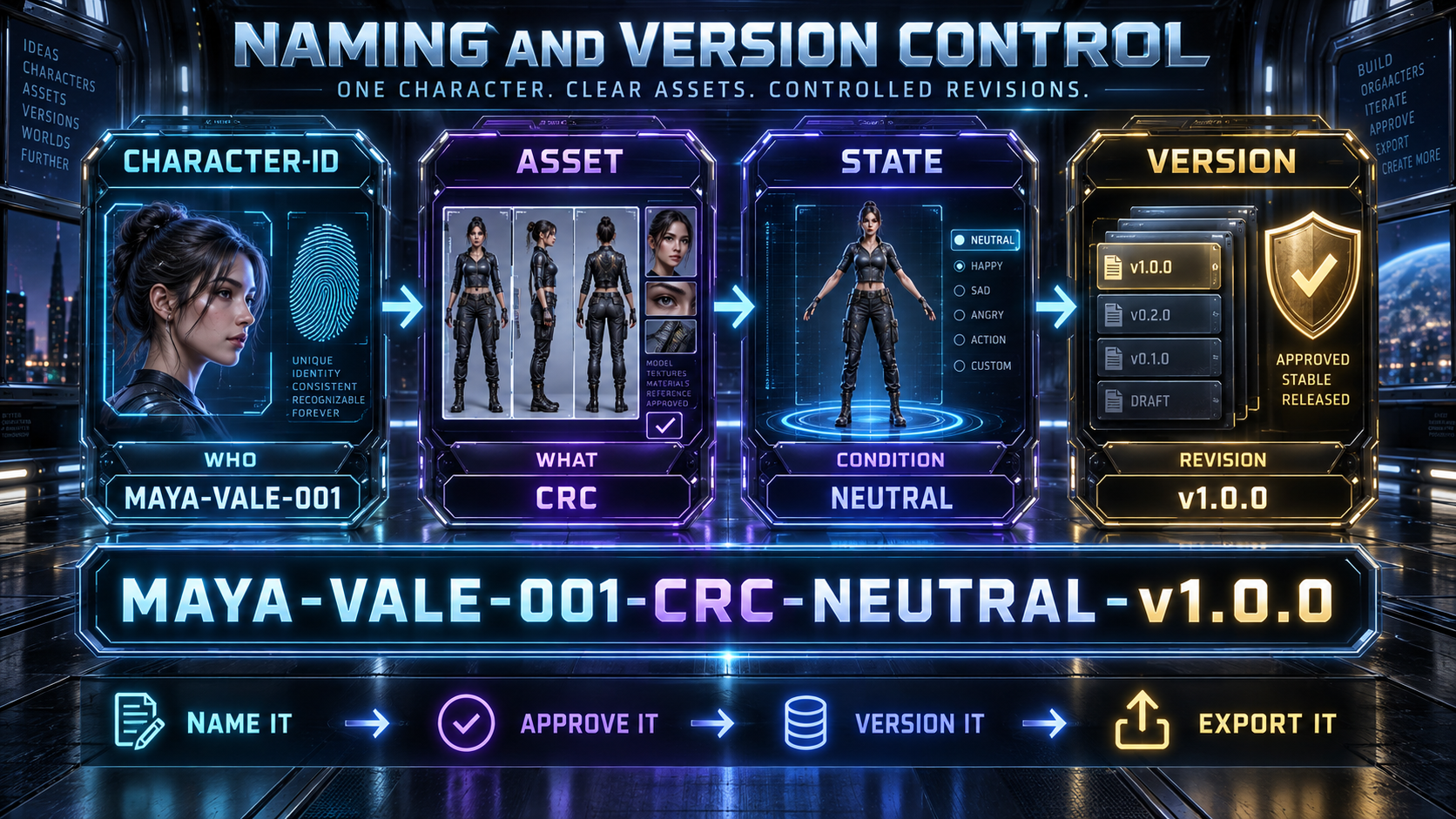
The included naming structure follows: CHARACTER-ID → ASSET → STATE → VERSION
Example: MAYA-VALE-001-CRC-NEUTRAL-v1.0.0
This structure helps you:
Separate experiments from approved assets
Track revisions
Identify locked masters
Prevent outdated cards from entering production
Maintain clear character archives
Hand assets to collaborators or clients
A locked master should never be overwritten. Approved changes create a new version.
THE FINISHED RESULT
Your finished deliverable is a CHARACTER AUTHORITY PACKAGE. The package may contain:
Character Launch Card
Character Intake Record
Rights and Source Record
Canonical Character Identity
Identity Lock
Attribute Control Matrix
Source Contribution Map
View Manifest
Approved reference views
Character Reference Card
QA Scorecard
Repair history
Naming and version record
Structured JSON export
Downstream Identity Injection Block
The Character Authority Package can guide later:
AI image generation
Feed-image production
Image-to-video generation
Cinematic scene development
Camera planning
Social-content creation
Marketing campaigns
Custom GPT workflows
Client character-development services
GenPack production packaging
FOUR WAYS TO USE THE SYSTEM
Guided Route — For beginners creating their first structured AI character. Follow the instructions, examples, templates and pass gates in order.
Accelerated Route — For experienced AI creators who already understand image generation. Move directly into identity controls, source mapping, QA, repair and versioning.
Production Route — For creators developing reusable characters for recurring campaigns, video and branded content. Focus on repeatability, asset organization and production handoff.
Studio Route — For freelancers, consultants, agencies and teams producing characters for clients. Apply approval, licensing, versioning, revision and delivery controls.
YOUR DOWNLOAD INCLUDES
Character Creator OS v1.0 Core Edition PDF
Character Creator OS v1.0 15-Minute Quick-Start PDF
Character Launch Card workflow
Character Intake structure
Rights and Source Record
Canonical Identity framework
Identity Lock workflow
Attribute Control Matrix
Source Contribution Map
Reference View Manifest
Controlled-generation workflow
Character Reference Card assembly guidance
Character QA thresholds
Minimal-delta repair process
Naming and semantic-versioning guidance
Structured Character Authority export schema
Worksheets and implementation templates
Read-First instructions
Customer license
Third-party-tool disclosure
BEGINNER FRIENDLY AND PRODUCTION CAPABLE
The system explains:
What to do
Why the step matters
What information to provide
Which references to attach
Where to enter the instructions
What result to expect
What to save
How to name it
How to evaluate it
What must pass before moving forward
Beginners can follow the system one step at a time. Experienced creators can use the same materials as a production manual, character-governance framework and structured handoff system.
DESIGNED FOR
Beginning AI creators
AI influencers
Digital-model builders
Character designers
Storytellers
Image creators
Video creators
Social-content producers
Freelancers
Creative consultants
Marketing teams
Independent studios
Agencies
Custom GPT developers
Creators building reusable commercial characters
COMPATIBLE WITH YOUR EXISTING WORKFLOW
Character Creator OS is designed as a tool-independent methodology. Its prompts, worksheets and controls can support workflows involving capable:
Planning language models
AI image generators
Image editors
Design platforms
Image-to-video systems
Custom GPTs
Production and asset-management tools
Platform availability, features and results may vary.
FUTURE CREATOR COMMAND INTELLIGENCE COMPATIBILITY
Character Creator OS can be completed entirely through the included manual workflow. Its worksheets and structured export records are also designed for future use with Creator Command Intelligence, a menu-driven assistant planned to help users:
Complete character intake
Compile identity records
Build Source Contribution Maps
Plan reference views
Generate prompts
Evaluate character assets
Diagnose drift
Prepare minimal-delta repairs
Assemble structured exports
Access to Creator Command Intelligence is not included unless specifically stated in the selected offer.
IMPORTANT
Character Creator OS provides methodology, prompts, templates, worksheets, structured records, QA controls and implementation guidance. It does not include:
Third-party AI subscriptions
Image-generation credits
Video-generation credits
Editing software
Hosting services
Third-party commercial licenses
Guaranteed generator results
AI generation remains probabilistic. Character Creator OS is designed to reduce ambiguity, identity drift, source contamination, attribute loss and unnecessary regeneration. It cannot guarantee pixel-identical results across every platform, model or generation.
Only use reference materials you created, licensed or received permission to use. You remain responsible for:
Source rights
Likeness consent
Intellectual-property compliance
Platform policies
Commercial-use requirements
Client approvals
Final production decisions
DOWNLOAD INSTRUCTIONS
Your purchase includes a complete customer-download ZIP package. After downloading:
Extract the ZIP file.
Open README-FIRST.
Open the 15-Minute Quick-Start Guide.
Complete your first Character Launch Card.
Save the first neutral proof.
Open the Core Edition PDF.
Use the accompanying worksheets and structured export files when instructed.
Keep an unchanged backup copy of the original download.