Digital Teacher Planner
$39
The Digital Teacher Planner That Helps You Leave Work at Work
Because your 45-minute plan period should have a 45-minute plan—not three hours of work you’ll end up taking home.
Built by a real teacher (hi, it’s me 👋) who got tired of sticky notes, 37 open tabs, massive to-do lists, and pretty paper planners that collected dust.
👋 Sound familiar?
You’re “organized” but still constantly searching for the tab, note, link, or file you swear you just had open.
You’ve bought cute planners...only to abandon them by Labor Day.
Your lesson plans, meetings, emails, links, files, and 400 to-dos are living in 12 different places.
You make a giant to-do list without ever deciding when you’re actually going to do any of it.
You want to leave school feeling like you got the important stuff done—not like you need to reopen your laptop after dinner.
This planner was built for you.
🎯 This Isn't Just a Place to Put Your To-Do List
The ThatProductiveTeacher Digital Planner is a customizable Google Doc planner built around the way teachers actually work.
Instead of starting each day with one massive list of everything you could do, you plan around the time you actually have.
Before school.
Your 45-minute plan period.
During class.
Lunch, if you choose to work through it.
After school, if you choose to stay.
You decide when the work is actually going to get done—and give each block a realistic amount of work.
Because if you have a 45-minute plan period, you don't have three hours.
And when something doesn't fit? Move it. Reschedule it. Decide it isn't actually a priority today.
The goal isn't to squeeze more work into every minute. It's to use your time at school on purpose so you can go home when the workday is over.
💻 Everything You Need. Right Where You’re Already Working.
This isn't a cute PDF you'll forget to open.
It's a living Google Doc designed to work with the tools you're already using—Google Drive, Calendar, Keep, Smart Chips, and the Google Side Panel.
Your lesson plan can live next to the link to your slides.
Your plan-time tasks can live next to the files you need to complete them.
Your meeting notes, absent students, random questions you need answered, and that thing you need to grab from the office can all have a home.
Instead of wasting your plan period figuring out what you were supposed to be doing...
Open one document and run your day.
💡 What’s Inside:
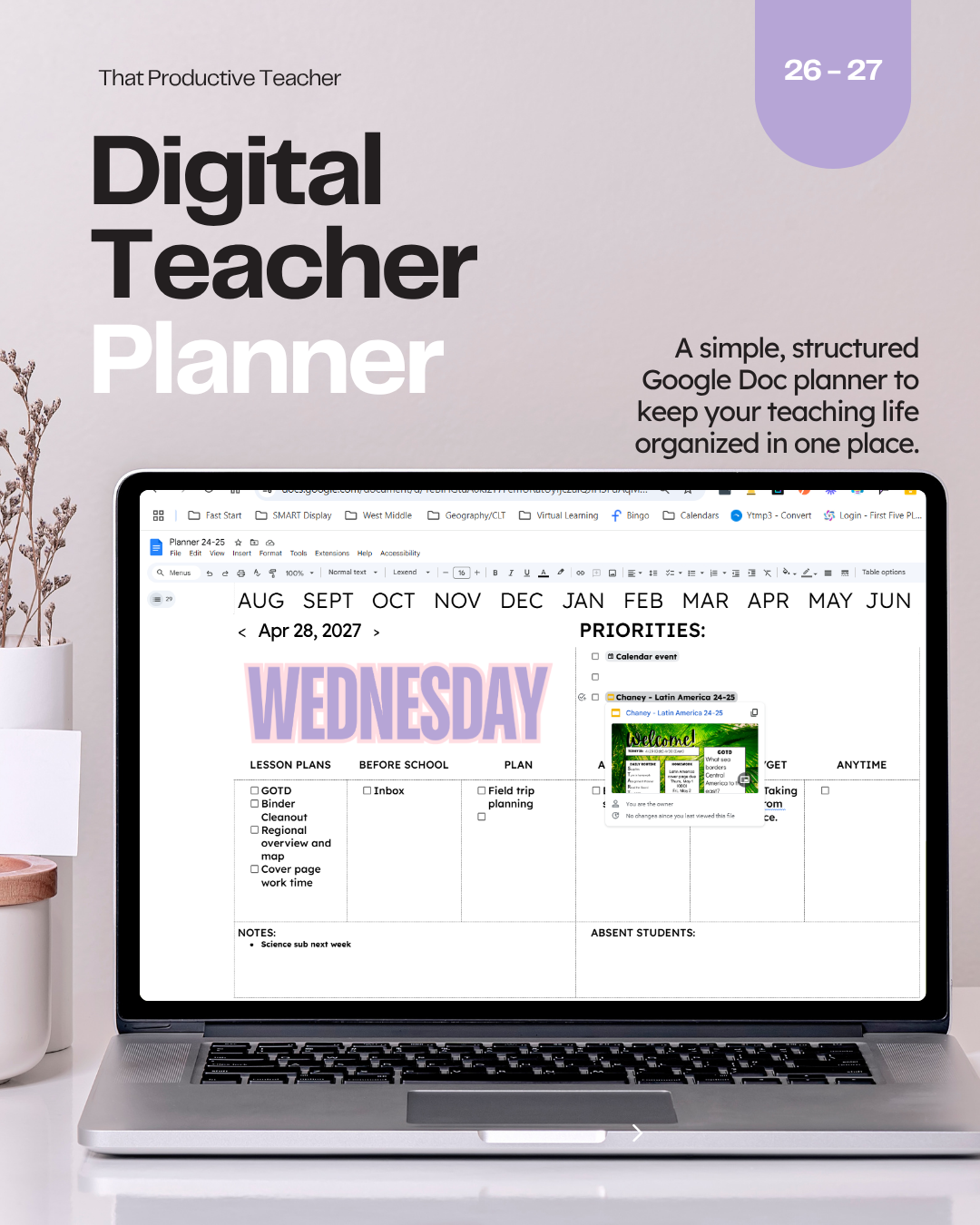
Daily layout with 8 editable blocks per day (label by subject, time, priority, whatever your brain needs)
Linked table of contents + navigation arrows so you never have to scroll again
July 2026 - June 2027 included so you can start planning right now
Smart Chips + integration tips to connect Google Calendar, Drive, and Keep
Start Here guide with quick setup instructions and pro tips to make it yours
PLUS: A 5-Minute Video Walkthrough
I'll show you exactly how I use the planner, where to start, and what I recommend tweaking. Because setting up your productivity system should NOT become another three-hour project on your to-do list. 😂
Another bonus: It's actually cute. But not in a "wastes your time trying to match fonts" kind of way.
🤔What Could Change This Year?
What if this is the year you...
Leave school without wondering what you forgot?
Stop wasting the first 15 minutes of plan time deciding what to do?
Stop digging through Google Drive for something you know is in there?
Stop assigning yourself three hours of work during a 45-minute plan period?
Stop automatically assuming unfinished work has to come home with you?
You don't need to become more productive every waking hour. You need a realistic plan for the hours you're already at work.
💬 What Teachers Are Saying:
“I finally stopped wasting my plan time figuring out what I was supposed to be doing.”
— Probably you, 3 weeks from now
“I’ve never actually stuck with a planner until now.”
— Someone who’s bought 14 planners since 2019
What’s Included:
✔️ Daily planner pages (July 2026 - June 2027)
✔️ 8 customizable blocks per day (time blocks, subjects, to-dos—your call)
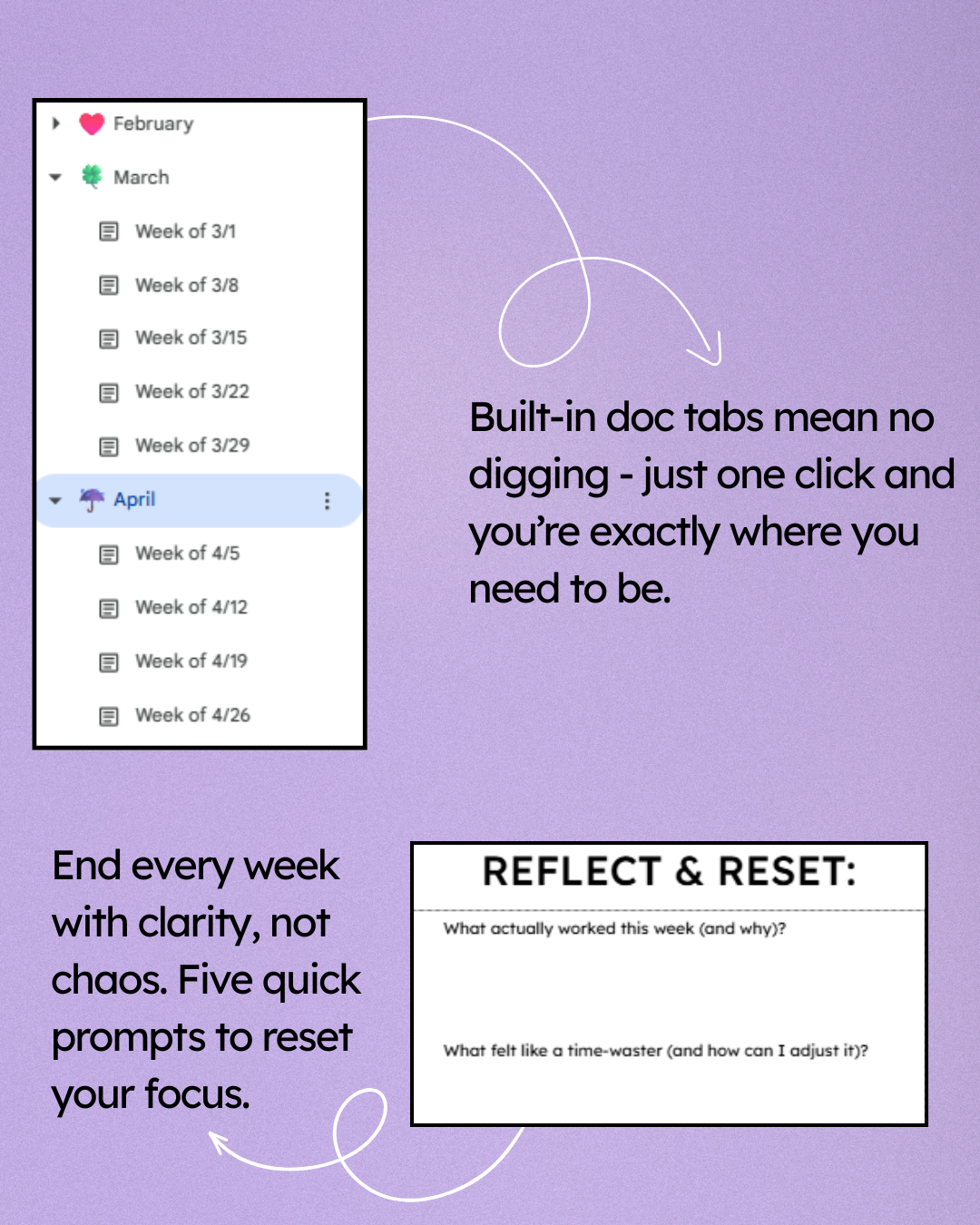
✔️ Weekly Reflect & Reset to track what’s working (and what’s not)
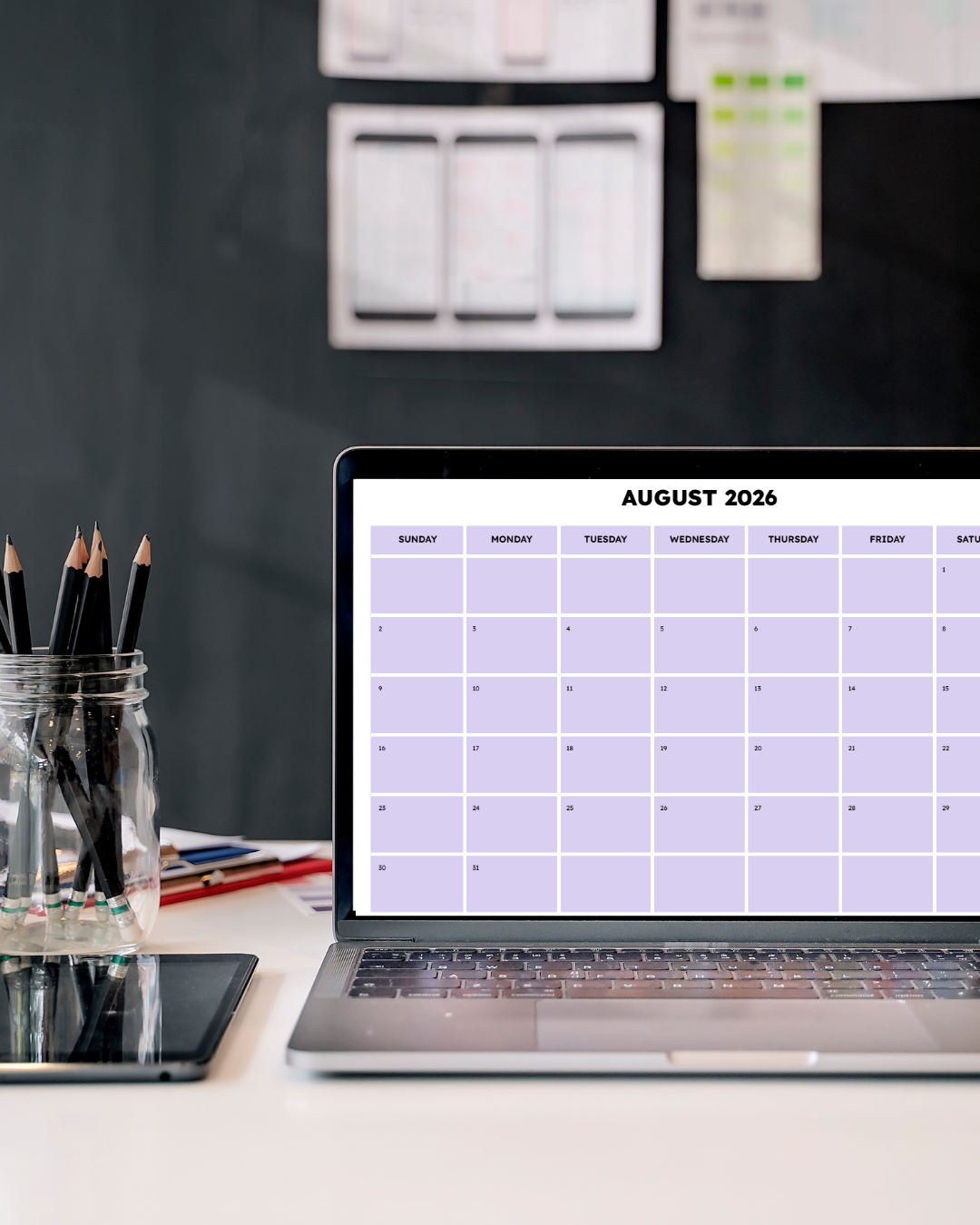
✔️ Monthly calendar view to map big-picture plans
✔️ Table of contents, monthly bookmarks, and linked navigation (no scrolling required)
✔️ “Start Here” page with setup tips, tech help, and layout guidance
✔️ Integration tips to link Google Calendar, Drive, and Keep
✔️ Google Side Panel compatible for easy multitasking
Bonus video walk through! Includes a 5 minute video showing exactly I use the planner, where to start and what to tweak.
What It’s Not:
🚫 Not printable
🚫 Not designed for mobile (I mean, you can access it on mobile but it's not the best experience)
🚫 Not a blank slate for heavy customization
This planner is built to save you time, not create more work.
You’ll be able to customize your blocks, add links or files, and make it work for your schedule but fonts, colors, and structure? Already done for you.
Why It Works:
This isn’t just a template.
It’s a system that helps you finally:
Use your plan time on purpose
Keep everything in one place (instead of 13 open tabs)
Plan with the tools you already use
Actually check in on your goals and priorities weekly
Get through the school year without feeling like you're constantly behind
💰 Price: $39
One-time purchase. Instant access.
You'll get the complete July 2026–June 2027 planner + setup instructions + video walkthrough so you can start using it right away.
That's less than $1 per week for a system designed to help you spend less of your week thinking about everything you still need to do.
✋ Still Scrolling?
That’s fine. Just know that if your current system isn’t working, it’s not because you’re unorganized.
You just haven’t had the right tool yet.
This one’s different. And it's waiting for you.