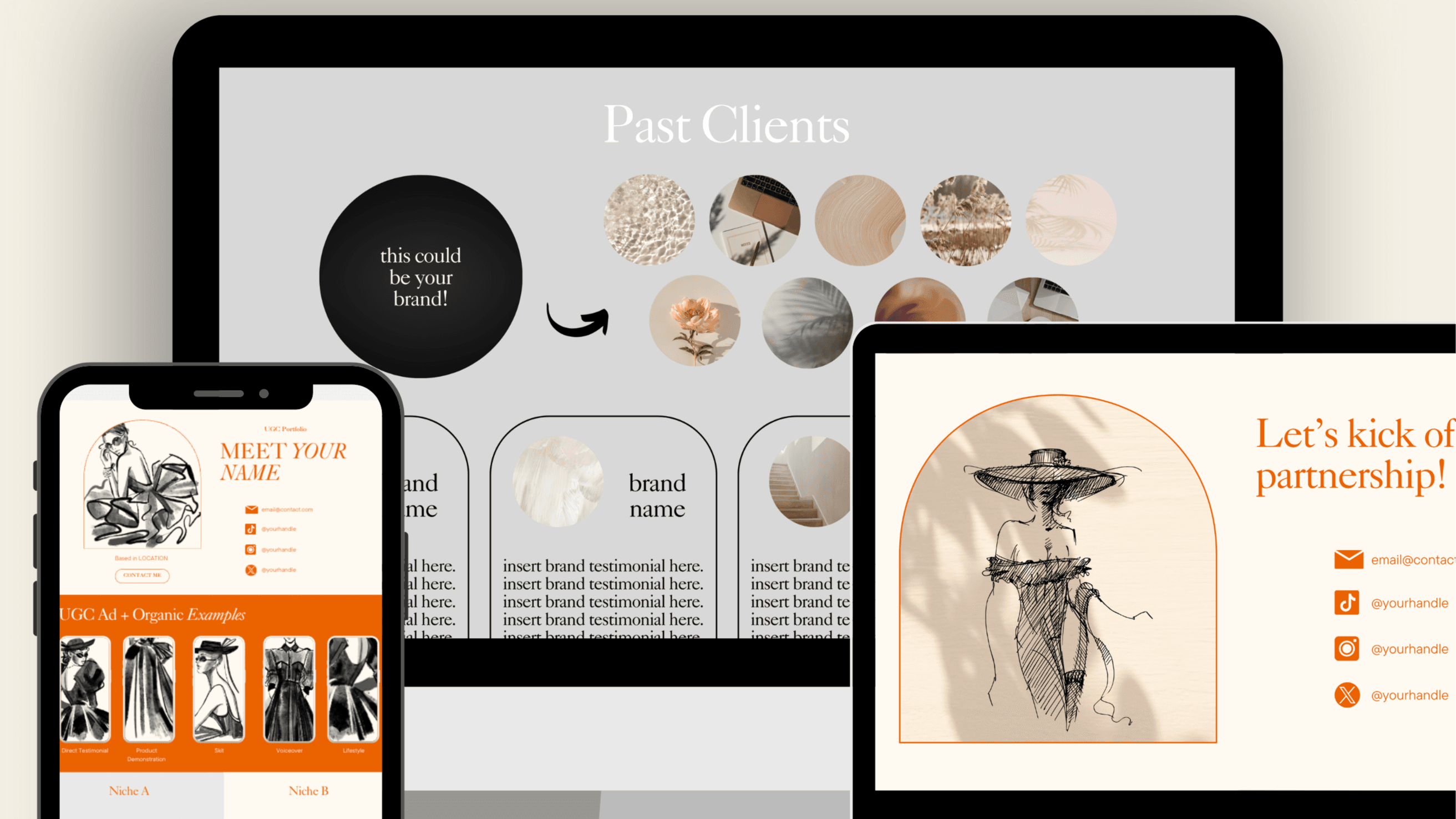
Canva UGC Portfolio Website Template
$15

This UGC Portfolio Website Canva template offers a stylish design, allowing you to showcase your work in a professional and streamlined manner.
Fully customizable with a FREE Canva account (via Canva.com), and the layout is optimized to prioritize the brand's viewing experience, from most important to least important pages.
Whether you're an aspiring influencer or a UGC creator, this plug-and-play website template is the perfect user-friendly option for beginner creators to have a platform to showcase their work to brands.
See how other creators have customized this template for their own UGC portfolio website!
WHAT YOU CAN EDIT
Absolutely everything!
Upload your own photos into the frames, resize them, move them around, and/or remove them
Edit the texts, their fonts, their colors, their sizes, and their positions
Edit the sizes, colors, transparency settings, and positions of all elements
Change the background
Duplicate any page, element, etc.
Remove any element, page
8-page Canva website template (1366px x 768px) of a pre-designed, easy-to-edit UGC portfolio which can be published as a landing page website using a free Canva domain or your own domain, but can also be exported as a PDF file or sent as an online presentation via a link

A couple of things to note when accessing this template:
You'll need to have already created an account on Canva.com (FREE)
The first page of the template includes some pro-tips to note, which you will have to delete once you're ready to publish your website
Don't make the mistake publishing as a presentation, you MUST publish as a WEBSITE
To keep professional, I always recommend to either connect a domain you already own or purchase your own domain, rather than having a "xxxx.mycanva.site" because it will look more professional when you present it to brands
The template does not include a broken down "Rates" section because it will give you more negotiation power. There is never a "standard" rate all across the board - your rate just has to be higher than the brand's budget. Create custom packages for the brand. Keep that in mind at that's how you'll maximize your earning potential.
Notice that the "About" section is towards the bottom. This is on purpose, because brands who are looking at 50+ portfolios a day prioritize the the quality of your video examples and will go straight to this section. I put it right behind the hero page to reduce friction for them.
Consider making an "About" video to insert. I suggest using brand-centric language and making the structure of your video about how your experience relates to the brand's benefit and what you can bring to the table in terms of performance. Things like, "My hobbies are x, x, and x," are irrelevant.
PROS / CONS WITH A CANVA WEBSITE
PROS
User-friendly
Drag-and-drop
Easily customizable
Recognizable to brands
CONS
Can only have a 1-pager scrolling website
Limited in some functionalities
I still highly recommend starting out with a Canva website, especially if you're a beginner creator! I was using a Canva portfolio for +17 months and that was the portfolio that helped me secure +$80K in UGC brand deals in 2023.
However, the further along you are in your journey, the more you may want to grow your portfolio. If you are an advanced creator who wants their portfolio to stand out even more and is ready to build out a website with more functionalities, you can check out my Squarespace UGC Portfolio Website Template