0 - 1M in 2 weeks: The AI Growth Setup
€29€79
Just a few weeks ago, I was struggling with my Instagram workflow.
My Reels were stuck at under 200 views.
And every time I wanted to post, I was starting from scratch:
❓What should I post?
❓Is this hook good enough?
❓Why did that Reel not work?
❓How do I actually use ChatGPT for Instagram without getting generic answers?
Then I started building an AI setup around my Instagram workflow.
✨ The results:
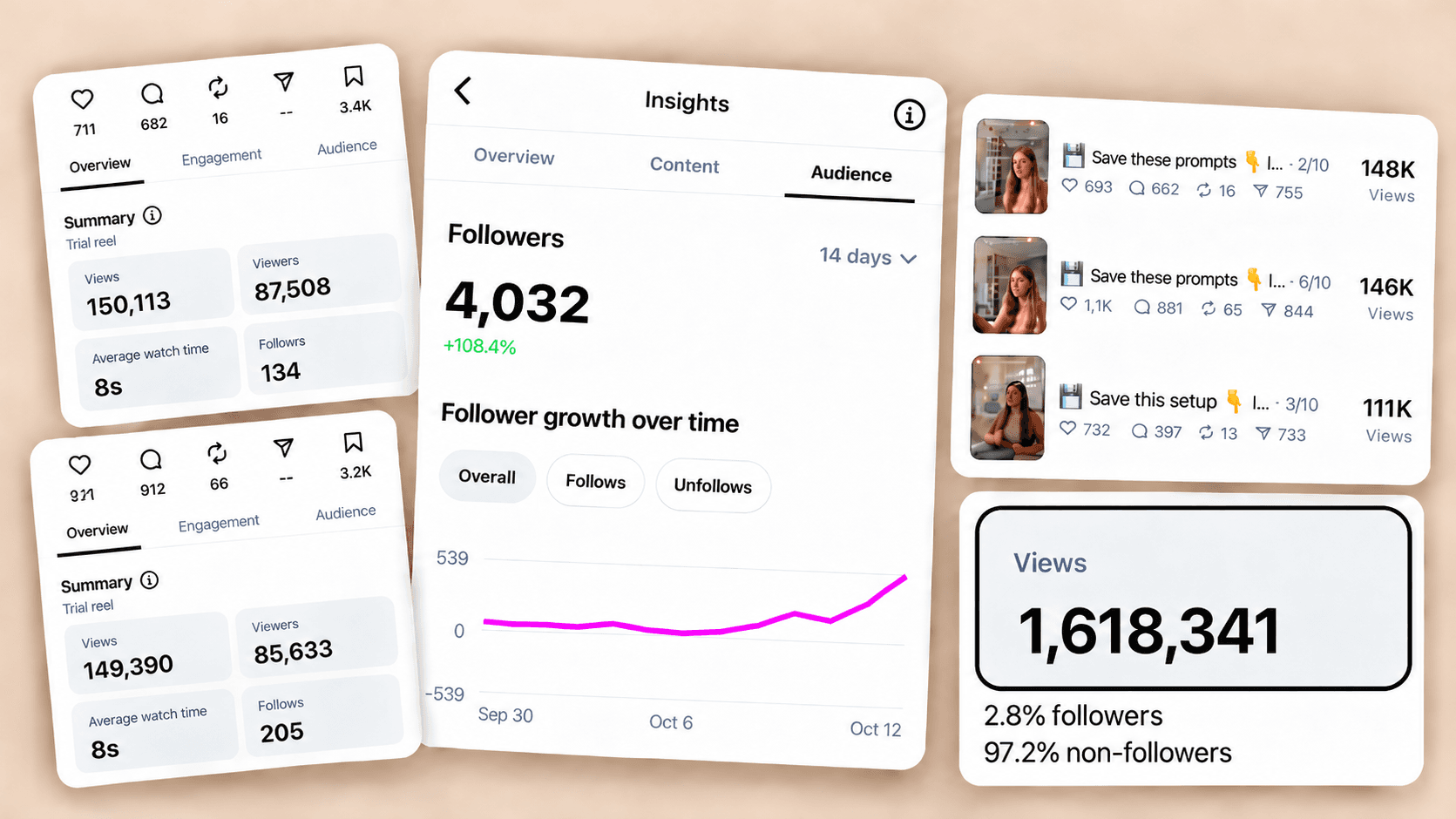
📈 My views per Reel went from under 200 to 50,000, 100,000, 150,000+
✨ I grew from 0 to 4K+ followers
🤩 I reached over 1 million total views
💰 I started getting paid partnerships and sales
⏳ I went from spending the entire day figuring out what to post to just a few hours per week
✨ The AI Growth Setup ✨
This is not another PDF full of random ChatGPT prompts.
It’s the setup I use to make AI part of my Instagram workflow so I can create faster, understand what’s working and automate repetitive tasks.
🧠 You stop staring at a blank screen.
✍🏻 You stop creating everything from scratch.
📊 You stop guessing why your content worked.
🤖 You stop getting generic ChatGPT answers.
🔁 You stop reinventing your process every day.
⏳ And most importantly: you get your time back.
📦 WHAT’S INSIDE
✅ Connect Instagram + Canva to ChatGPT
Set up the integrations so ChatGPT can access your Instagram, analyze what’s working and support your content creation from one place.
✅ Teach ChatGPT Your Business
Give ChatGPT the basic context it needs to understand your business, audience, niche, goals and the content patterns already working in your market.
Outcome: You stop starting every ChatGPT conversation from zero.
✅ Build Your AI Content Co-Pilot
Set up ChatGPT to help you create hooks, captions and content ideas based on your actual audience and positioning.
Outcome: You create faster without relying on generic content suggestions.
✅ Use Your Own Instagram Data
Learn how to ask ChatGPT to analyze your recent content, identify your strongest performers and create new ideas based on what is already working.
Outcome: You stop guessing what to post next.
✅ Set Up ChatGPT to Edit Your Reels
Learn how to use ChatGPT, Codex and a reference Reel to turn raw footage into edited, ready-to-post content.
Outcome: Reduce the time and manual work involved in editing your talking Reels.
✅ Automate Your Instagram DMs + Comment Replies
Set up automatic keyword replies so your links can be sent without manually responding to every comment and DM.
Outcome: Your Instagram workflow keeps running even when you’re not sitting inside your DMs.
💬 QUESTIONS YOU MIGHT HAVE
“I already use ChatGPT. Do I really need this?”
If you’re opening a blank ChatGPT conversation and typing things like:
“Write me an Instagram caption.”
“Give me 10 Reel ideas.”
“Make this hook better.”
…you’re still using a fraction of what it can do.
This setup shows you how to give AI enough context to understand your business, your audience and your Instagram— and then use that context repeatedly instead of starting over every day.
“I’m not technical.”
You don’t need to be.
Everything is built around normal ChatGPT conversations, simple setups and copy-and-paste prompts.
No coding. No complicated tech stack.
“Do I need a big Instagram account?”
No.
I built this setup while growing a small account myself.
You just need an Instagram account, ChatGPT and a business or expertise you want to grow.
“I know AI could make Instagram easier, but right now I’m still starting from scratch every time I create content and I don’t have a proper setup.”
If that sounds like you, this is your next step:

S. M., Business Owner
It gave me the kick up the butt I needed. It mapped everything out for me then I came up with an idea of my own and it's helping me with that and I'm doing a little pre launch today thankyou so much xx
L.B., Solopreneur
My Reels don`t flop anymore! I now get 5k+ views consistently! I`ve also cut down the time I spend on my business from 8-10 hrs daily to just a few - I LOVE IT! And I now use ChatGPT to edit and design my talking reels - I just give it my raw video!