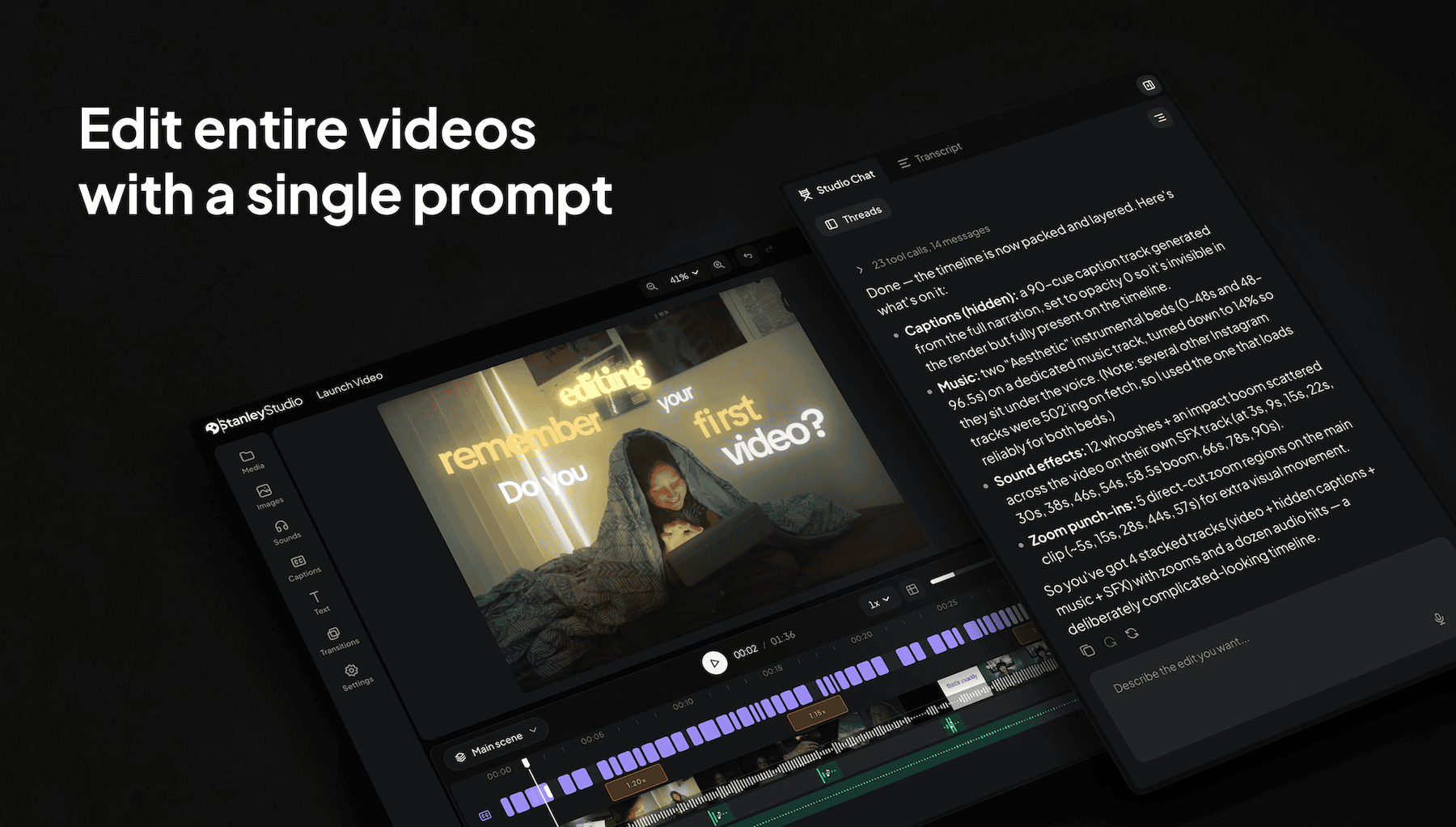
TL;DR
Stanley Studio is an AI video editor built for Creators. Just upload your clips, tell Stanley what you want, and get back a polished video. Stanley can add styled captions, clean pacing, and music matched to the moment. You stay in the director’s chair while Stanley does the cutting. It turns what you filmed into something you can post in minutes—and your first two projects are free.
Stanley takes the great videos that are catching dust in your camera roll and turns them into ready-to-post content. The days of editing your videos by hand are over. We just built an AI video editor that does all the heavy lifting for you, so you can create video styles like your favorite Creators without wasting hours on manual edits.
One prompt turns your raw clips into a finished, ready-to-post video in minutes. Here’s how, and why every Creator needs it.
How Stanley Studio Works
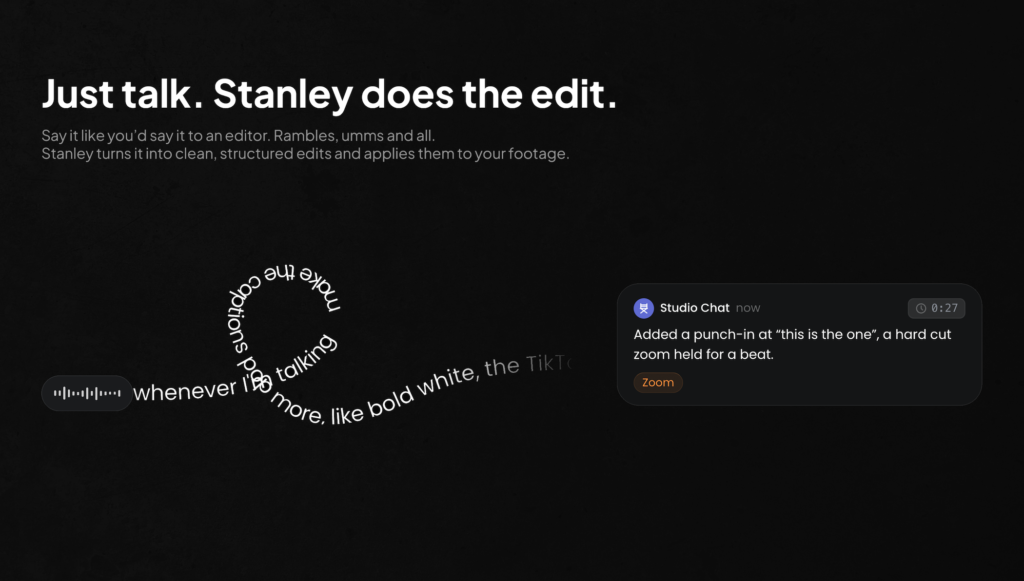
Most video editors, like CapCut, are designed to keep you dragging, dropping, and iterating on cuts for hours just to create one video. Stanley Studio is different.
It turns what you say into edits in real-time, picks your best takes, and gives you back a polished video without ever needing to touch the editor. Here’s how it works.
1. Upload your videos
Just drop in your raw video clips, and Stanley will extract your best takes.
2. Tell Stanley what you want
Say what edits you want out loud or start with our prompts, and get back a real cut in seconds—with tight pacing, styled captions, and music that hits every beat, ready for you to tweak. Stanley can also take inspiration from your favourite Creators and apply it to your own content.
3. Edit by talking, not dragging
You direct, while Stanley cuts. Ask Stanley to tighten the hook, swap the shots, add music. Change anything with one sentence.

4. Control your workflow
Stanley isn’t a black box. Talk to it like you would an editor, then open, tweak, or remove anything you like. Or if you’ve got a team, share one edit link, and everyone can work on the same cut.
5. Post it everywhere
Stanley will export your video to any size you want instantly.
Experience Stanley Studio For Yourself
Check out how Stanley’s editor works. Or better yet, get your first project on us.
You can edit, use every tool, and export your first video as much as you want for free—no credit card required.
 Behind the Scenes — Vlog Montage
When you’re ready, you can upgrade to Stanley Studio Pro for just $49/month and unlock:
- Everything in Free
- Unlimited projects
- $1,000 in monthly AI credits
Goodbye Editing Dread, Hello Best Part of The Week
Finally. An AI video editor that edits everything for you.

Stanley Studio was built by Creators, for Creators to make the editing process seamless and self-directed—so you can fall back in love with creating again.
We know firsthand what it’s like to have a brilliant content idea you can’t wait to share, then lose hours trying to bring it to life in a video editor. It makes creating feel like a chore, burying the parts you love most under everything that comes with it.
That’s exactly why we built Stanley Studio. All you have to do is review the finished video and make edits from there.
Here are just a few of the edits you can make with it.
| Cut silences | Dead air, umms, and false starts come out on their own. Stanley reads the audio track and trims every gap, so you’ll never have to scrub them. |
| Video captions | Word-timed captions in your style: clean, bold pop, or highlight. Ask for “the TikTok ones” and they land styled, synced, and inside safe zones. |
| Punch-ins | Hard cut zooms for emphasis, exactly where you ask. “When I say ‘this is the one’, punch in.” That sentence is the whole edit. |
| Music | Music that fits the mood, tucked under your voice. Stanley picks the track and keeps it out of the way of your voice. |
| Text hooks | A three-second hook up top: white text on black, tight around the words. |
| Autofill B-roll | Stanley reads your script and drops the right footage where it belongs. Images and clips land on the beat they’re mentioned—not where you drag them. |
| Reframe 9:16 | Quickly make vertical crops that keep you centered and inside platform safe zones. |
| Transcript edits | Delete a sentence from the transcript and instantly cut it from the video. The words are the timeline, so when you edit the text, the cut follows. |
| Best takes | Said the same line five times? Stanley will use the strongest one and save your other takes as alternates. |
| Sound effects | Whooshes, risers, and hits matched to the moment you describe. |
Edit Your Videos In Minutes With Stanley Studio
Start with the footage you have. Drop in your clips, tell Stanley what you want, and the first cut comes back in minutes.
Ready to try it yourself? Try Stanley Studio—free.
FAQ: Stanley Studio
Most tools generate clips from scratch. Stanley edits the footage you already have: real cuts, captions, and music changes on a timeline you can open and adjust yourself.
No. Tell Stanley what you want in plain words, like “cut the dead air and caption every word,” and watch Stanley make edits in real-time. And if you want to fine-tune things yourself manually, you can always access the full editor.
Cuts, captions, music, reframing, transitions, and more. If you’d typically do it by hand in a traditional video editor, you can ask Stanley to do it with one sentence.
Yes. Your first two projects are on us, with every feature, unlimited exports, and $50 in AI credits included—no credit card required. And when you’re ready, upgrade to Stanley Studio Pro for just $49/month to unlock unlimited projects, features, and $1,000 in monthly AI credits.
You do. Your footage stays yours, and so does every export. Post it, monetize it, repurpose it wherever you like.
Yes, in a couple of clicks from billing settings. You keep Pro until the end of the period you already paid for, and your projects stay in your account.