TL;DR
Getting your Instagram dimensions right matters more than ever in 2026—with a new 3:4 feed format, reorderable carousels, and updated safe zones, posting the wrong size can quietly hurt your performance. This cheat sheet covers every Instagram format you need: feed posts, Stories, Reels, carousels, and profile photos—with exact pixel dimensions, file specs, and safe zones. Use it to set up your designs, fix cropped posts, and keep your grid looking great. Once your sizes are dialed in, Stanley can help you figure out what to actually post in them.
Looking for the right Instagram feed dimensions? You’ve come to the right place.
This definitive 2026 cheat sheet covers every format you need—from feed posts and Stories to Reels, carousels, and profile photos—with exact pixel dimensions, file specs, and safe zones updated for the latest platform changes.
Quick Guide: Instagram Post Sizes in 2026
Here’s your up-to-date 2026 reference guide for all Instagram image sizes and video dimensions. Each of the dimensions listed below uses width × height in pixels.
- Square feed: 1080 × 1080 px (1:1)
- Portrait feed: 1080 × 1350 px (4:5)
- Landscape feed: 1080 × 566 px (1.91:1)
- New tall feed (3:4): 1080 × 1440 px
- Stories: 1080 × 1920 px (9:16)
- Reels: 1080 × 1920 px (9:16)
- Profile photo: 320 × 320 px minimum
- Story Highlight covers: 1080 × 1920 px or 1080 × 1080 px
Recommended formats:
- Images: JPG or PNG
- Videos: MP4 / MOV with H.264 codec and AAC audio
- File sizes: Aim for under 10 MB for images, under 250 MB for typical Reels and Stories
How Instagram Image Sizes Work (Aspect Ratios and Resolution)
When it comes to Instagram content, it’s important to understand what aspect ratio and resolution are.
An aspect ratio is the ratio of a post’s width to its height. For instance, a 4:5 ratio means a post is 4 units wide by 5 units tall.
A photo’s resolution refers to the number of pixels (px) it has. An image with a resolution of 1080 × 1350 is 1080 px × 1350 px.
Instagram supports several aspect ratios for images and videos, including:
- 1:1 (square) – feed posts
- 4:5 (portrait) – feed posts
- 3:4 (tall portrait) – feed posts
- 1.91:1 (landscape) – feed posts
- 9:16 (vertical) – Stories and Reels (full screen)
The standard width for Instagram content is 1080 pixels. Files can be larger, but they’ll be scaled down. And smaller images may appear blurry or pixelated.
What Shows In Your Feed vs. Your Instagram Grid
What’s visible in your feed isn’t always what appears on your profile grid. The feed can display posts up to 4:5 tall, but grid previews are essentially cropped to 3:4. This means you should fit important content like faces, text, and logos safely inside that 3:4 area to make sure it gets seen.
Master Cheat Sheet: All Instagram Post Sizes (2026)
Consider this your printable, saveable reference for every Instagram format. The table below organizes all recommended dimensions by post type.
Feed & Grid
| Format | Aspect Ratio | Recommended Size | Minimum Size | Max File Size | Format | 2026 Tip |
|---|---|---|---|---|---|---|
| Square post | 1:1 | 1080 × 1080 px | 600 × 600 px | ~30 MB | JPG/PNG | Zero cropping in grid |
| Portrait post | 4:5 | 1080 × 1350 px | 1080 × 1350 px | ~30 MB | JPG/PNG | Keep key elements in 3:4 safe zone |
| 3:4 tall post | 3:4 | 1080 × 1440 px | 1080 × 1440 px | ~30 MB | JPG/PNG | Perfect for uniform grids |
| Landscape post | 1.91:1 | 1080 × 566 px | 1080 × 566 px | ~30 MB | JPG/PNG | Best for cinematic shots |
| Carousel | Same as first slide | 1080 × 1350 or 1080 × 1440 px | Varies | ~30 MB/image | JPG/PNG/MP4 | Can reorder slides post-publish |
Full-Screen Vertical (Stories, Reels)
| Format | Aspect Ratio | Recommended Size | Minimum Size | Max File Size | Format | 2026 Tip |
|---|---|---|---|---|---|---|
| Stories | 9:16 | 1080 × 1920 px | 720 × 1280 px | ~30 MB image / 4 GB video | JPG/PNG/MP4 | Leave 250px top/bottom for UI |
| Reels | 9:16 | 1080 × 1920 px | 720 × 1280 px | 4 GB (aim <500 MB) | MP4 | Center content for 4:5 grid crop |
| Reel covers | 9:16 | 1080 × 1920 px | 1080 × 1920 px | ~30 MB | JPG/PNG | Title in central 1:1 area |
Profile & Cover Photos
| Format | Aspect Ratio | Recommended Size | Display Size | Format | 2026 Tip |
|---|---|---|---|---|---|
| Profile picture | 1:1 | 320 × 320 px | ~110 px circular | PNG/JPG | Center logo in 60-70% radius |
| Highlight covers | 1:1 or 9:16 | 1080 × 1080 px or 1080 × 1920 px | Circular crop | PNG/JPG | Match brand color palette |
Instagram Feed Post Size (Single Photo & Video)
In 2026, Instagram supports various aspect ratios for different post formats—especially feed images—like 1:1 for square posts, 4:5 or 3:4 for vertical posts, and 1.91:1 for horizontal posts.

Here’s a full breakdown of each post type’s dimensions and use cases—from horizontal and vertical images to Reels and stories.
Square Feed Posts (1:1)
No surprise—the best size for square feed posts on Instagram is 1080 x 1080 pixels with a 1:1 aspect ratio. Even though Instagram lets you post other image sizes, square posts remain popular because your profile’s grid view shows exactly what you see in the feed.
Square images are ideal for things like:
- Text-based graphics and quotes
- Centered product photos or headshots
- Logos or symmetrical designs
- Brand announcements
If you’re using a square post, make sure you center all key content and leave at least 60–80 px padding from each edge to protect against minor cropping on different devices.
Portrait Feed Posts (4:5)
For vertical feed posts, the ideal dimensions are:
- 1080 x 1350 pixels (4:5 aspect ratio)
- Or 1080 x 1440 pixels (3:4 aspect ratio)
Portrait images in 4:5 use more vertical screen space than a square, which can help you capture attention and maximize engagement.
However, remember that even if your post is 4:5 in-feed, the profile grid crops closer to 3:4—so keep faces, text, and key details inside a safe zone centered within your canvas.
Portrait feed posts are ideal for things like:
- Outfit and fashion photos
- Vertical product shots
- Infographics and step-by-step tutorials
- Upright photography
New 3:4 Feed Posts
In 2025, Instagram introduced a new 3:4 aspect ratio (1080 x 1440 pixels) for feed posts, which is designed to maximize vertical space and improve your grid aesthetics. This format is slightly taller than 4:5 and aligns perfectly with how the Instagram grid trims taller posts.
3:4 works in 2026 because it:
- Eliminates grid preview surprises
- Maximizes vertical real estate
- Creates a cohesive profile aesthetic
- It’s perfect for cross-posting to Pinterest
It’s a great option for Creators who regularly repurpose their Instagram content across platforms like Pinterest.
Landscape Feed Posts (1080 × 566 pixels)
The recommended landscape photo size is 1080 × 566 pixels (1.91:1 ratio). They’re typically used for wide photos and Instagram ads.
Many Creators also use landscape posts to share:
- Cinematic travel shots
- Group photos
- Dashboard screenshots
- Panoramic scenes
When using landscape images, keep any subtitles or important text centered horizontally. If your original resolution is wider than 1.91:1 (like a panorama from your camera roll), crop the video manually before uploading it rather than relying on Instagram’s automatic crop.
Instagram Carousel Post Size (Multi-Image & Multi-Video)
With carousels, you can upload videos and photos, combining up to 20 pieces of content in a single post. Instagram carousel posts usually achieve higher engagement rates than other formats, like static posts.
To avoid awkward cropping, Instagram usually maintains the same aspect ratio for all images in a carousel, locking the size based on the first slide’s aspect ratio by default.
But thanks to a 2024 update, Instagram now allows users to mix different photo orientations (portrait, landscape, square) in one carousel. The only caveat? Instagram will fill in any disproportional space with borders.
That’s why we’d recommend you:

- Use 1080 × 1350 px or 1080 × 1440 px for educational content
- Use 1080 × 1080 px for product catalogs
- Avoid mixing vertical format and landscape posts unless intentionally framed
Try to keep consistent margins, typography, and color palettes across all slides to maintain a cohesive look and feel throughout your carousel images.
2026 update: You can now reorder and replace carousel slides after publishing. But first, make sure you’ve designed your slides so reshuffling won’t break the carousel’s narrative flow.
Instagram Story Size (9:16)
Instagram Stories are 24-hour, full-screen vertical content that demands specific dimensions. The recommended aspect ratio for Instagram Stories and Reels is 9:16 or 1080 x 1920 px, allowing your content to fill viewers’ entire screen without awkward borders or cropping.
Any resolution with the same aspect ratio works, but 1080-width keeps things sharp on smartphones.
When you post Instagram stories, make sure your content accounts for safe zone guidelines:
- Leave 250 px at the top and bottom of the frame
- Keep core text inside the central 1080 × 1420 px area
Instagram Reels Size (Video & Covers)
Reels are Instagram’s primary short-form video format. They use a full screen 9:16 vertical video frame, but show up differently in the feed vs. your profile grid.
For instance, your Reels will show up as 9:16 videos in your Reels tab or people’s feed. But if you add a Reel to your main profile, your feed preview or thumbnail will automatically get cropped to 4:5 or 3:4.
That’s why it’s important to keep all of your key content in a central safe zone, so viewers can see your Reel the way you intended—no matter where they come across it.
Follow these simple safe zone rules:
- Make sure your Reel size and cover photo are both 1080 x 1920 px
- Keep faces, titles, and subtitles within the central 1080 × 1350 px area
- Avoid placing eye-catching elements in the top or bottom 15% where captions and controls overlay
- Use high contrast between text and background colors so people can clearly read your cover
You can update Reel covers weeks later to refresh your grid without reposting. It’s a great way to reach new audiences with existing content.
Pro tip: Save a reusable Figma or Canva template with safe guides for 9:16 full frame plus 4:5 and 3:4 preview crops. This can speed up your Reel creation process while helping you consistently stick to the same size and best practices.
Instagram Profile Photo Size Best Practices
Your profile picture is your brand’s avatar across your feed, Stories, DMs, and comments. We recommend using an Instagram profile picture that’s 320 x 320 pixels.
Since your profile picture is circular, make sure important elements are centered to avoid awkward cropping.
Instagram profile picture best practices:
- If you include a headshot, try using a solid or gradient background that matches your brand palette. This helps your photo pop on people’s feeds and reinforces your brand identity.
- If you’re using a logo, make sure you upload a PNG file for the best image resolution.
- If you’re using a photo, upload a JPG file.
- Avoid making frequent, drastic changes to your profile pic. Your photo is what builds familiarity, so people instantly recognize you in their feed.
Highlight Covers Best Practices
Instagram lets you share a series of previous stories on your profile through highlights, which appear as circles at the top of your profile. And when you create a highlight, you can customize it with your own small, tappable highlight cover.
These cover images contribute to your profile’s brand identity and can make profile visitors more inclined to tap on your highlight.

As a best practice, you should:
- Use 1080 × 1920 px Story slides or dedicated 1080 × 1080 px square graphics
- Create graphics that center icons and text with ample padding
- Design a cohesive set of highlight covers that use consistent colors, icon styles, and typography.
- Export in PNG for flat graphics, JPG for photographic designs, keeping files well under 1 MB.
File Formats, Quality, and Size Limits on Instagram (2026)
Recommended image formats:
- JPG/JPEG: Most photos and gradients (80–90% quality)
- PNG: Logos, flat illustrations, text-heavy graphics
- Avoid GIFs for posts; use MP4 for motion
Recommended video formats:
- MP4 (H.264 video + AAC audio) – standard for all video sizes
- MOV files are supported, but less optimal for minimizing size
Size limits (2026):
| Content Type | Hard Limit | Best Practice |
|---|---|---|
| Images | ~30-100 MB | Under 10 MB |
| Feed videos & Reels | 4 GB | Under 500 MB |
| Reel length | Up to 20 minutes | Under 3 min for algorithm boost |
| Story segment | 60 seconds | Multiple segments for longer content |
Safe Zones for Feed Posts, Reels, and Stories
A ‘safe zone’ is the area of your frame that won’t be covered by UI elements or cropped in previews. Understanding these zones is crucial for ensuring the most important aspects of your content actually get seen.
Here are the safe zones for each type of Instagram post.
Feed posts:
- Keep text and logos at least 90–120 px from all edges
- Captions may cover bottom portions in some views
Reels:
- Caption and buttons overlay the bottom 15–20%
- Align subtitles above the centerline, not hugging edges
Stories:
- Central “safe band” covers about 40–70% of vertical height
- Username and reply bars occupy top/bottom areas
Profile photo and highlight covers:
- Think in circles—keep content in the central 60–70% radius
What to Do With Perfectly-Sized Content
Once your dimensions, formats, and safe zones are dialed in, the real challenge is figuring out what to post. Technical specs are the foundation, but they don’t tell you which ideas will resonate with your audience, which formats to lean into, or which trends in your niche are worth replicating.
That’s where Stanley comes in.
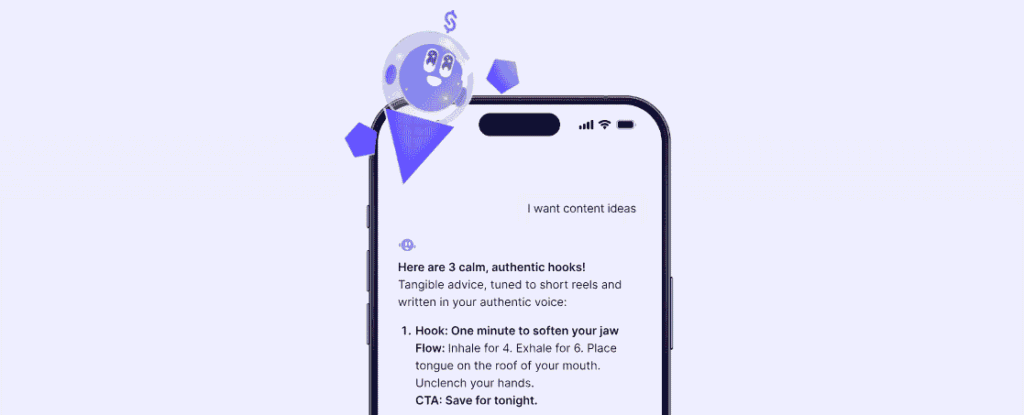
Stanley is your AI Head of Content—built specifically for Instagram Creators who are serious about growing and monetizing their audience. It connects directly to your Instagram, so it already knows your voice, past posts, audience, and what’s actually performing.
It uses that context to help you generate content ideas tailored to your niche, script Reels and carousels in your voice, surface daily top-performers from Creators in your space, and build a weekly content plan you can batch create.
So instead of staring at a blank canvas (or prompting a generic AI for the tenth time), you can ask Stanley for fresh content ideas or insights and help acting on them.
Ready to see what Stanley can do for your Instagram growth? Try it free for 14 days.
FAQ: Instagram Post Sizes in 2026
The ideal size is 1080 × 1440 px (3:4) or 1080 × 1350 px (4:5). Both maximize vertical space while keeping key content safe within the 3:4 grid crop.
1080 × 1920 px (9:16). This fills the screen completely without borders or cropping.
1080 × 1920 px (9:16) for both the video and cover photo art. Keep important elements centered since grid previews crop to roughly 4:5.
At least 320 × 320 px (1:1). Center key elements within the inner 60–70% since it displays as a circle.
Grid previews display at approximately 3:4. Full posts can be 4:5 or 3:4, but keep important content inside the 3:4 area to avoid cropping surprises.
Yes, you can now reorder and replace carousel slides post-publish. But make sure you plan your slides carefully so that reshuffling doesn’t break your carousel’s story sequence.
Hard limits reach 30-100 MB for images and 4 GB for videos. However, as a best practice, aim to keep images under 10 MB and videos under 500 MB for smooth uploads and to avoid heavy compression.