Design 101 Cheat Sheet
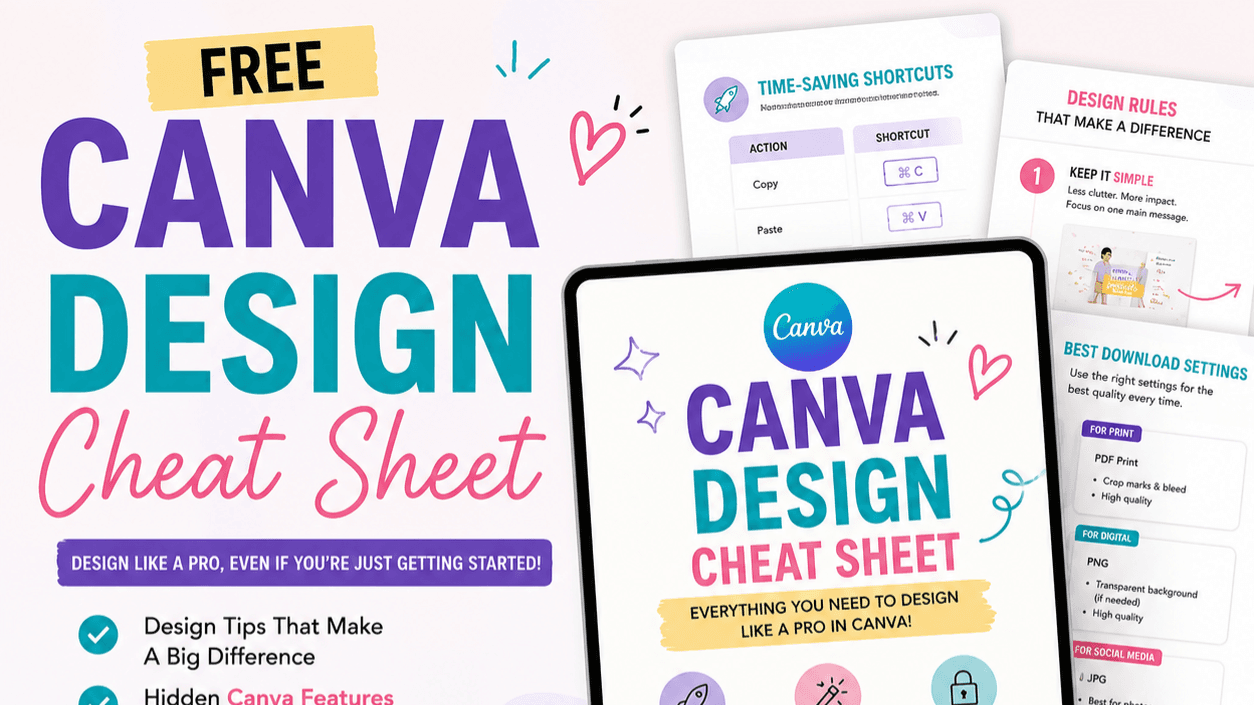
Canva Design Cheat Sheet
Make Your Canva Designs Look Cleaner, Stronger, and More Professional
You do not need to be a professional designer to create polished content in Canva.
You just need a few simple design rules, the right shortcuts, and a clear process to follow.
The Canva Design Cheat Sheet was created to help beginners, content creators, small business owners, and digital product sellers design with more confidence—without spending hours trying to figure everything out on their own.
Already Downloaded the Free Canva Getting Started Tips?
The free Canva Getting Started Tips Guide helps you learn the basics and get comfortable inside Canva.
This guide takes you one step further.
Instead of only showing you where the tools are, the Canva Design Cheat Sheet helps you understand how to use them to create designs that actually look polished, balanced, and professional.
It is the perfect next step once you are ready to move beyond the basics.
Inside the Canva Design Cheat Sheet
You will learn:
✓ The design rules that make the biggest difference
✓ How to use white space correctly
✓ How to choose fonts that work well together
✓ How to create stronger visual hierarchy
✓ How to make one clear focal point
✓ How to use color without overwhelming your design
✓ How to keep your spacing and margins consistent
✓ How to make your brand look more recognizable
✓ Canva shortcuts that save time
✓ Hidden Canva features many beginners miss
✓ The best download settings for different projects
✓ A simple workflow to help you create faster
Create Designs That Feel Intentional
Have you ever finished a Canva design and thought:
“Something still looks off.”
Usually, the problem is not the template.
It is one of a few simple design issues:
Too many fonts.
Too many colors.
Not enough spacing.
No clear focal point.
Text too close to the edge.
Elements that are not aligned.
These small details can completely change how your design looks and feels.
Once you understand the rules, designing becomes much easier.
Perfect For
This guide is ideal for:
✓ Canva beginners
✓ Content creators
✓ Etsy sellers
✓ Digital product creators
✓ Coaches and service providers
✓ Small business owners
✓ Social media managers
✓ Anyone creating posts, printables, guides, workbooks, or marketing materials
What You Can Use It For
Apply these tips to:
✓ Instagram posts and carousels
✓ Pinterest pins
✓ Etsy listing images
✓ Digital products
✓ Printables
✓ Workbooks
✓ Lead magnets
✓ Presentations
✓ Flyers
✓ Social media graphics
✓ Sales pages
✓ Brand content
Learn the Same Design Fundamentals Creatives Use
These are not just Canva tricks.
They are the same basic design principles used across creative industries.
As an animator, I work with design every day, and the same rules continue to matter:
Alignment.
Spacing.
Hierarchy.
Color.
Typography.
Consistency.
Canva brings together many of the capabilities people usually associate with programs like Illustrator and Photoshop—but without the same steep learning curve.
This guide helps you make the most of those tools.
Simple Rules Make a Big Difference
You do not need complicated techniques.
You do not need to master every Canva feature.
You do not need to spend hours perfecting one post.
You just need a repeatable set of rules you can use every time you design.
That is exactly what this cheat sheet gives you.
Instant Digital Download
You will receive a digital Canva Design Cheat Sheet that you can:
✓ Save to your device
✓ Keep open while you design
✓ Print for easy reference
✓ Use again and again
No physical product will be shipped.
Start Designing With More Confidence
Stop guessing.
Stop overcrowding your designs.
Stop wondering why something looks off.
Use the Canva Design Cheat Sheet as your go-to reference whenever you create.
Get the Canva Design Cheat Sheet
Start creating cleaner, more professional designs today.
Download the Canva Design Cheat Sheet now.
New to Canva?
Start with the free Canva Getting Started Tips Guide.
It will help you learn the basics, discover the most useful beginner tools, and feel more comfortable navigating Canva before you move into the design rules inside this guide.
Download the free Canva Getting Started Tips Guide first, then come back when you are ready to take your designs to the next level.