How to Sell Digital Products Without a Website
You don’t need a website to sell digital products. With the right platforms and strategies, you can easily reach your target audience online.
This guide explores marketing strategies for digital goods that are easy to get started with, yet rewarding to master, with no website development required.
Can You Sell Digital Products Without a Website?
Yes, you can sell digital products without a website. By leveraging platforms like social media, online marketplaces, and email marketing, you can effectively reach and engage your target audience.
Traditional websites aren’t your only option. There are plenty of other platforms and tools out there that let you sell directly to customers and engage with them.
The only things you actually need to be able to sell digital products online are:
- Somewhere to display your product
- Checkout and payment systems
- (Automated) ways to deliver the product
- A link you can send customers to
Managing a traditional website can be challenging. Creators often need multiple tools for hosting, ecommerce, checkout, email, and delivery. This takes time to manage, and the costs can add up fast, especially if you’re new to building websites.
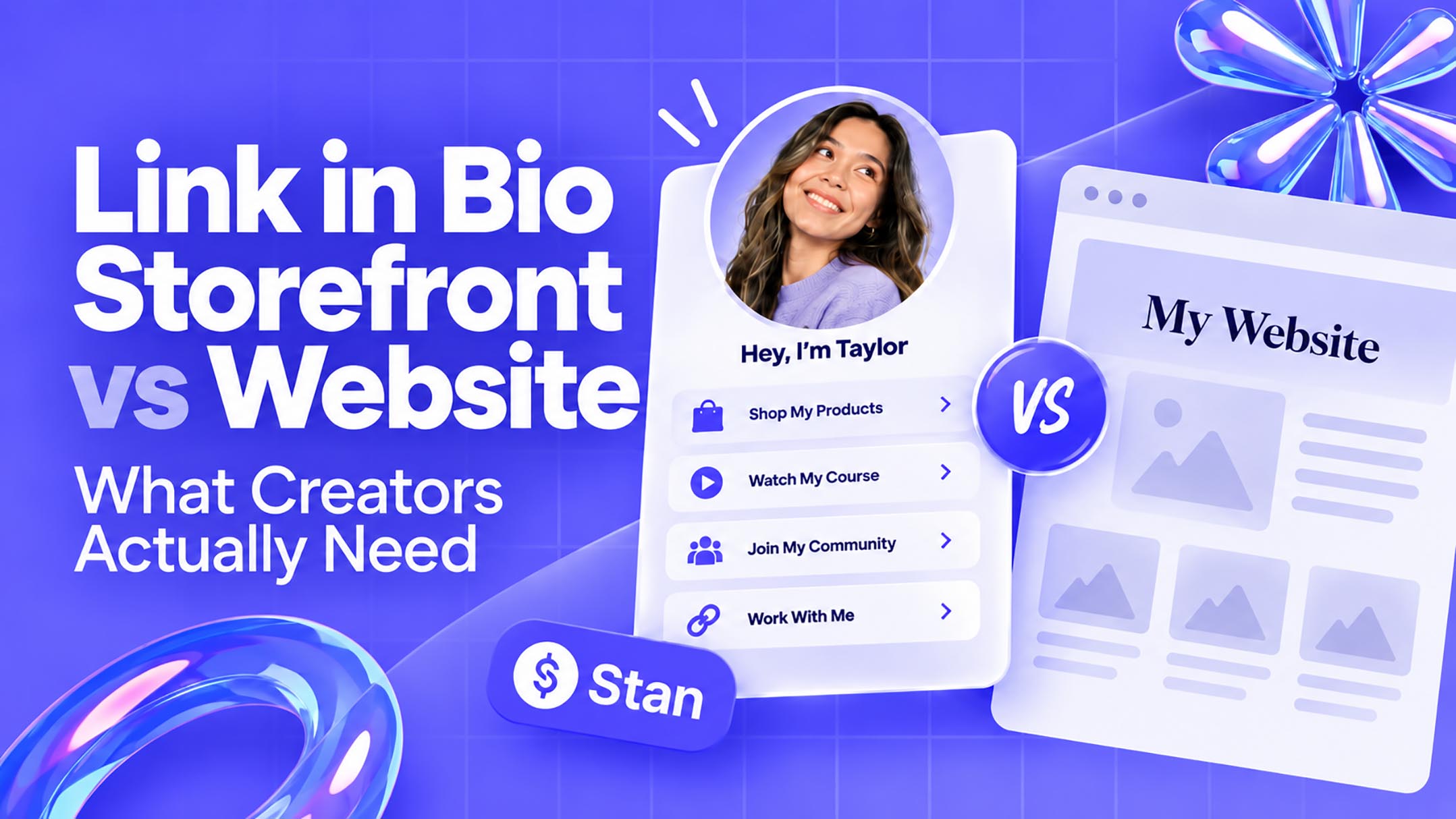
Creator storefront platforms like Stan consolidate all of that complexity into a simple, easy-to-use link you can send to your network immediately.
Where to Sell Digital Products Without a Website
Use a Link-in-Bio Storefront
A link-in-bio storefront brings everything together in one place: displaying, selling, and delivering your digital products through a single link on your social media profile.
No website needed. It’s a simple, cost-effective solution that removes the technical headaches, so you can focus on what you do best: creating.
Your social media profile serves as the traffic source, while your storefront handles conversions. Rather than directing followers to a cluttered website, visitors can go directly from social media to the offer, removing unnecessary friction from the buying journey.

When researching link in bio platforms, some features and capabilities you should be on the lookout for include:
- Product Pages
- Checkout and Payment Processing
- Digital Delivery
- Analytics
- Email Capture
Marketplaces and Social Platforms
Marketplaces and social platforms can act as lightweight alternatives to a traditional website or link-in-bio tool by giving Creators a place to showcase products, reach customers, and drive sales without building a standalone site.
However, there are tradeoffs to consider when relying on third-party marketplaces and social media platforms:
For Creators who already have an established audience on platforms like TikTok, Instagram, or YouTube, sending followers directly to their own storefront can offer the best of both worlds. Social media provides an audience, while the link-in-bio storefront gives you more control over branding, sales, and customer relationships.
How to Sell Digital Products Without a Website
1. Choose a Digital Product People Want
Starting with the problem your audience wants solved ensures your digital product directly addresses a specific need or pain point, making it more appealing and valuable to potential customers.
This approach increases the likelihood of your product’s success, as it is based on genuine demand rather than assumptions. Here are just a few digital product ideas you might provide your audience with:
- eBooks
- Templates
- Checklists
- Guides
- Presets
- Swipe Files
- Mini Courses
- Workshops
We highly recommend validating demand through audience questions, surveys, comments, and 1-on-1 conversations before you heavily invest in product development.
2. Create and Package Your Product
Your product can be created without complicated software, making it accessible and easy to develop.
For example, you can create PDF files in Canva or Google Docs, while Templates can be made with tools like Notion. Online courses can combine video, text, downloadable files, and spreadsheets.

Regardless of the format you choose, keep it simple. Focus on solving one specific problem well, rather than trying to do everything at once. When it comes to digital products, simplicity sells.
3. Set Up Your Digital Storefront
Creators should use a link-in-bio storefront to streamline the selling process and reach their audience efficiently, without the complexity and time required to build an entire website.
Your storefront should be a one-stop shop for potential customers. Clearly outline what your product includes, who it’s for, how much it costs, and what buyers can expect after checkout. Keeping everything in one place makes the buying process quicker and easier for everyone.
Stan is a great example of a Creator storefront designed for this. Our platform allows Creators to showcase and sell digital downloads via a single link, handling checkout and delivery along the way.
4. Write a Product Page That Converts
When selling digital products without a website, your storefront does the heavy lifting. It needs to clearly explain your offer, build trust, and make it easy for customers to take the next step.
Lead with the result your product delivers, not the format it comes in. Skip the “PDF” or “Template” label and instead show customers what they’ll achieve after using it.
Your product page should quickly answer the main questions a potential buyer is likely to have:
- Who is this product for?
- What problem does it solve?
- What exactly is included?
- What happens after purchase?
Keep your product descriptions scannable. Use short paragraphs, clear subheadings, and bullet points where needed. Make your call to action direct and simple, so customers know exactly how to buy or access your product.
Where you can, include social proof to build buyer confidence. Screenshots, product previews, testimonials, and real customer results all help make your offer feel more tangible: reducing doubt and hesitation at checkout.
5. Add Your Store Link Everywhere
And by everywhere, we really mean everywhere.
Once your storefront is live, make it as easy as possible for people to find it. Add the link anywhere your audience already interacts with you, including:
- Instagram bio
- TikTok bio
- YouTube descriptions
- X profile
- Email signature
- Newsletter

Don’t wait for customers to find you. Weave your products naturally into your existing content and give readers a clear reason to visit your store.
Specific calls to action outperform vague ones. Skip “check out my store” and opt for something direct and actionable, like “Grab the template from the link in my bio” or “Download the full guide here.”
The goal is to keep the path from discovery to purchase as short as possible:
Content → Product → Checkout
Every unnecessary step is a chance for a potential customer to leave. Keep your storefront simple and accessible wherever your audience spends their time.
How to Get Customers Without a Website
Promote Your Products on Social Media
To successfully sell on social media, you can’t just post and hope your audience finds you. Promote your offers consistently through posts, captions, Stories, and videos. Use clear CTAs that tell people exactly what to do next, focus your messaging on the results your product delivers, and back it up with testimonials or social proof.
Stay consistent because most followers won’t catch every post you publish.
Build an Email List
Building an email list gives you a direct way to stay connected with potential customers beyond social media, and one of the easiest ways to grow it is by offering a useful lead magnet.
This could be a free checklist, template, guide, or mini-training that solves a specific problem for your audience while introducing them to the type of value your paid products provide.
Start Selling Digital Products With Stan
You don’t need to build a full website before you can start selling online. With the right setup, you can create a product, send people to a simple storefront, accept payments, and deliver purchases automatically without managing a complicated tech stack.
Stan gives Creators a simple way to showcase and sell digital products from a single link, while handling key parts of the buying experience, such as checkout and delivery. Instead of waiting until you have the perfect website, you can launch faster, start learning what your audience wants, and improve your offer as you grow.
Ready to start selling? Create your Stan Store and turn your audience into customers today.