Teachable is built for courses. The alternatives change what happens around them.
Teachable is a strong choice for structured online learning. If you want more flexibility around selling, community, marketing, or how your business grows, these platforms take the experience in different directions.
Teachable is a course-first platform for Creators who want to build and sell their own branded online learning experience. You bring the audience, while Teachable handles the infrastructure for delivering courses and managing students.
Its biggest strength is still the learning experience itself. Teachable supports structured courses with features such as:
- Progress tracking
- Scheduled content
- Quizzes and assessments
- Student mobile apps
- Certificates on eligible plans
Teachable has also grown beyond traditional courses. Creators can use the platform for coaching, digital downloads, memberships, and bundled offers.
AI is becoming a bigger part of the platform too. Teachable now uses it to help Creators build course material faster and make lessons more accessible through tools such as automated subtitles and translation.
For Creators building a serious education business, that combination can be a strong fit. Teachable gives you a lot of control over what happens after someone becomes a student.
But what if your business starts to outgrow the course model? If community becomes your focus, your offers get more diverse, or you want a faster path from audience to sale, it might be time to look at Teachable alternatives that fit your next move.
When Teachable Starts to Feel Too Course-First
Teachable offers many features, but at its core, it is built for creators who want to run a full online school with structured courses and students. That works well if your business is all about courses. But if you are growing beyond teaching, you will start to feel the limits, especially if community is your focus.
In August 2026, Teachable put its Community feature into maintenance mode, so new schools can no longer set up this feature. The company has not announced if or when it will be restored or updated. If your plans rely on ongoing conversations and member interaction, you will need to consider alternative solutions.
The pricing structure can also push creators to look elsewhere. Teachable’s entry plan includes a platform transaction fee, and removing it requires moving to a higher tier. We will break that down separately below.
More generally, you should ask if you still want your business to revolve around the school model.
If yes, there are platforms that keep the school setup but may do it better. If not, you have options that put your storefront, community, marketing, or audience relationships front and center.
How Much Does Teachable Cost?
Teachable currently has three self-serve plans:
- Starter: $39/month with a 7.5% Teachable transaction fee
- Builder: $89/month with 0% Teachable transaction fees
- Growth: $189/month with 0% Teachable transaction fees
- Custom: You’ll have to contact sales.
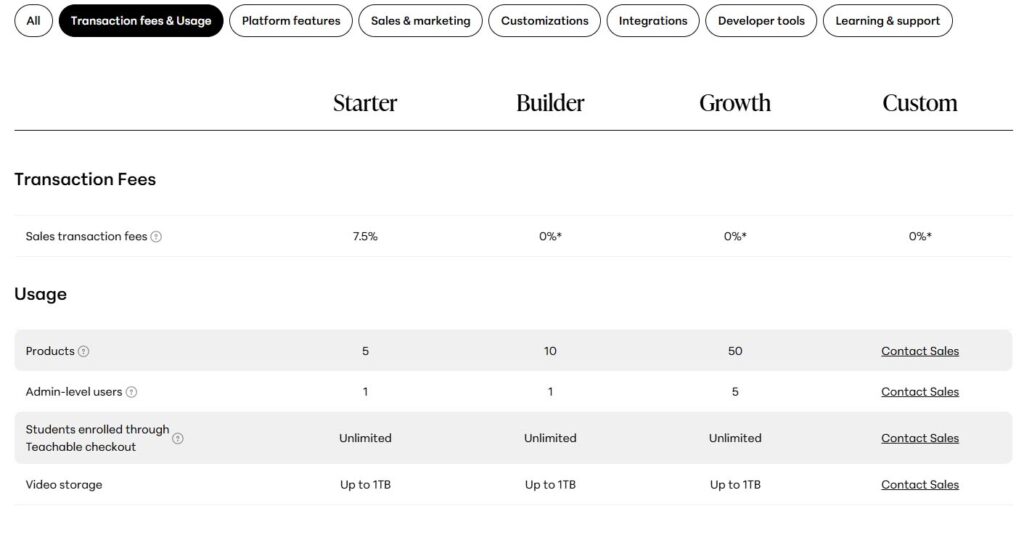
Starter is easy on your wallet at first, but that 7.5% fee can really add up once your sales start rolling in. Builder skips the platform fee entirely, but you’ll need to be ready for a higher monthly bill.
Stan
⭐ 4.7/5 (2,169 reviews) on Trustpilot

Stan is the strongest alternative for Creators who want to keep selling courses without building the entire business around an online school.
Courses are included on the platform, but they’re part of a bigger storefront made for people who might already follow you on social media. This way, someone can go from your content directly to your offer, without having to join a separate school first.
That makes Stan especially useful when the business is likely to change over time. A course can remain an important product without becoming the structure every future offer has to fit inside. Stan Community can also be added around the customer experience, giving members a place to connect without requiring a separate platform.
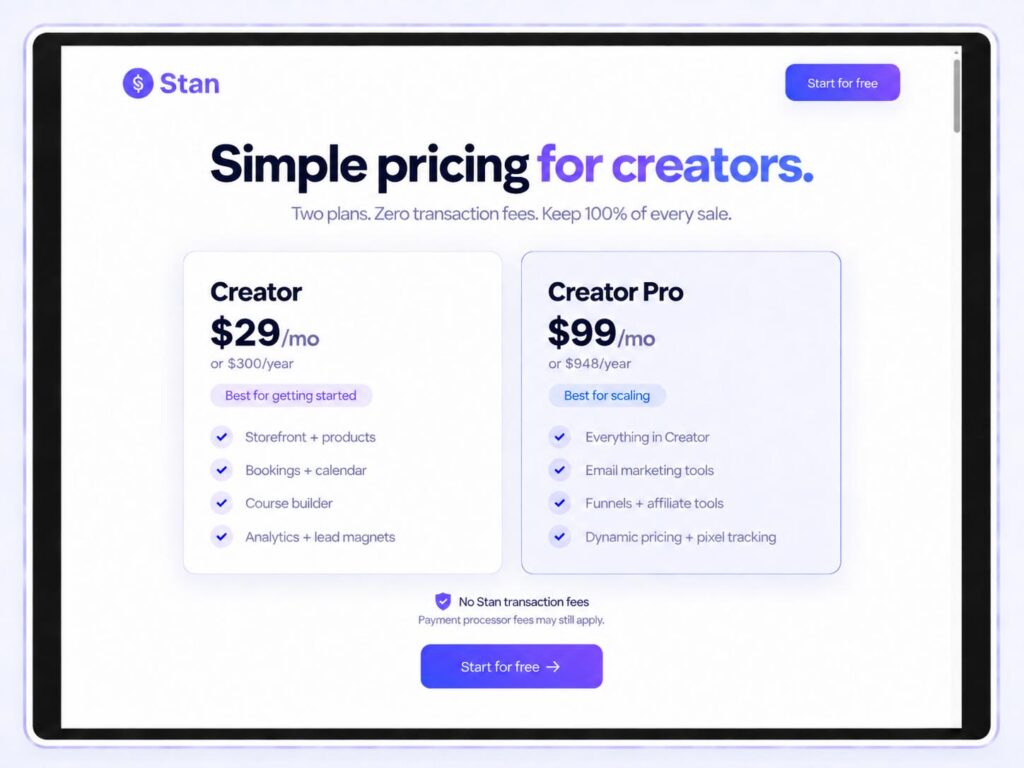
The pricing model is another meaningful difference. Creator costs $29 per month, and Creator Pro costs $99 per month, with 0% Stan platform transaction fees on both plans. Creator Pro adds the more advanced marketing and conversion tools as the business grows.
Strengths:
- Built-in Community
- 0% Stan platform transaction fees
- Designed for selling directly from a social audience
- Courses can sit alongside a broader Creator business
- Lower starting price than Teachable
Limitations:
- Teachable has deeper traditional LMS functionality
- No dedicated student mobile app
- Less suited to complex assessments or formal training programs
Teachable is still the stronger choice when the course experience itself needs to be highly structured. Stan makes more sense when the course is important, but the business around it needs just as much room to grow.
Thinkific
⭐ 1.8/5 (867 reviews) on Trustpilot
Thinkific is the best option if you want a traditional course platform but need a place to host a community.
The learning experience remains the priority, so the move from Teachable feels relatively familiar. But , Thinkific continues to support Communities, which gives it an advantage for Creators who want discussion and member interaction to exist closer to the course.
Thinkific Basic costs $54 per month, with higher plans available for more advanced functionality.
Strengths:
- Strong course-building tools
- Built-in Communities
- Mobile learning support
- Familiar transition from Teachable
Limitations:
- Still heavily centered on courses
- Less natural for social-first selling

Thinkific makes the most sense when you are happy with the online-school model and simply want a different platform running it.
Kajabi
⭐ 3.4/5 (2,346 reviews) on Trustpilot
Kajabi is the option for Creators who want more of their business to run on one platform. Courses are only one part of it. Kajabi also handles much more of the marketing and customer journey around what you sell, which is where it separates itself from Teachable.
Its email and automation tools are considerably more developed, and its Community feature is still actively supported. That makes Kajabi a stronger fit when the experience around the course matters almost as much as the course itself.
Kajabi Basic costs $179 per month, with Growth at $249 and Pro at $499 on monthly billing.
Strengths:
- Strong built-in marketing and automation
- Active Community feature
- Can replace several separate business tools
Limitations:
- High starting price
- More setup and management
- Can be excessive for a straightforward course business
Kajabi makes sense when Teachable feels too narrow, and you are willing to pay more to bring more of the business under one roof.
Podia

⭐ 4.2/5 (148 reviews) on Trustpilot
Podia takes a less formal approach to selling knowledge online. You can still build courses, but the platform gives the rest of the business more room without making everything feel like part of a traditional online school.
Your Podia site can act as the home for the business, while its built-in email and Community features help support the relationship around what customers buy.
Podia Mover costs $49 per month with a 5% platform transaction fee. Shaker costs $99 per month and removes that fee.
Strengths:
- Simple to set up and manage
- Built-in website and email tools
- Community included

Limitations:
- Course tools are less advanced than Teachable
- Community is relatively simple
- Mover takes 5% of each sale
Podia is a good fit when you still want courses to matter, but do not need the depth or structure of a full learning management system.
Skool
⭐ N/A on Trustpilot
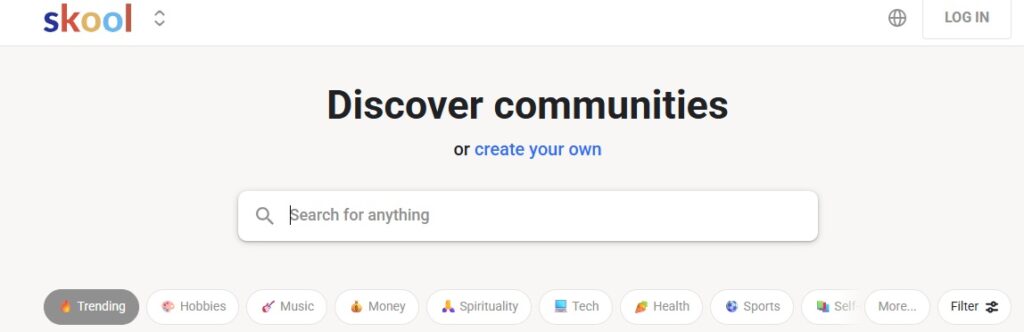
Skool takes a very different approach because it treats learning as something that happens inside an active community.
Courses live within the group experience, while live calls and gamification give members reasons to keep participating. Members earn points as other people engage with their contributions, and Creators can use levels to unlock course content as participation grows.
Skool Hobby costs $9 per month with a 10% transaction fee. Pro costs $99 per month with a lower transaction fee.
Strengths:
- Excellent community engagement
- Strong gamification
- Built-in live calls
Limitations:
- Community sits at the center of the model
- Limited marketing infrastructure
- Transaction fees apply to both plans
Skool works best when participation is part of what customers are paying for. If you primarily want a polished, structured learning environment, Teachable remains the more traditional choice.
So, What Comes Next?
Moving away from Teachable does not necessarily mean giving up the things it does well.
If you still want a traditional online school, Thinkific is the most direct replacement. Other platforms make bigger changes to the experience, whether that means putting marketing, simplicity, or community closer to the center.
Stan changes the structure in a particularly useful way for social-first Creators. The course can still matter without becoming the framework every other offer has to live inside.
If you already have the audience and expect the ways you monetize it to keep evolving, that freedom may be more valuable than adding another layer.